Skip to content
Accessibility · Free + Pro

AccessIQ WCAG scanner, heatmaps and analytics in one dashboard

AccessIQ is a free WordPress accessibility plugin that combines an automated WCAG 2.1 and 2.2 checker, self-hosted click heatmaps and behavior analytics in one dashboard. No API keys, no subscriptions.

WordPress.org · Leave a review · Docs

Version
v2.2.0
Last updated
4 Nov 2026
Tested up to
WordPress 7.1.4
Overview

What AccessIQ does

AccessIQ puts an automated WCAG 2.1 and 2.2 checker, self-hosted click heatmaps and behavior analytics in one dashboard inside WordPress.

Scans, click data and analytics stay in your own database, with no API keys, no subscriptions and no third-party services for the core features. Automated checks find many common problems but cannot prove WCAG conformance, so treat the score as a guide and add manual testing.

Who it is for

  • Site owners who want to find and fix common WCAG 2.1 and 2.2 problems before a complaint or audit
  • Agencies that check many client sites from one dashboard (Pro multi-site hub)
  • Teams that want click heatmaps and behavior analytics that stay on their own server
Key features

What you get with AccessIQ

  • WCAG 2.1 and 2.2 scanner

    Unlimited scans of your own pages at level A, AA or AAA, with a 0 to 100 score and the exact element behind every issue.

  • Score history

    A full scan history for every URL and a chart of how its score changes over time.

  • Self-hosted heatmaps

    Click heatmaps drawn over your live pages inside the dashboard. The data stays in your database.

  • Behavior analytics

    Sessions, bounce rate, average time on page and device split, with no cookies and no outside script.

  • Visitor accessibility widget

    A floating toolbar with 15 tools and five one-click profiles, so visitors get the experience they need.

  • Auto-fix engine

    Skip link, focus outline, HTML lang and image alt text applied on the front end, with no code.

Requirements License: GPLv2 or laterRequires: WordPress 6.0PHP: 7.4 or newer

In detail

How AccessIQ works

01

Find the exact element

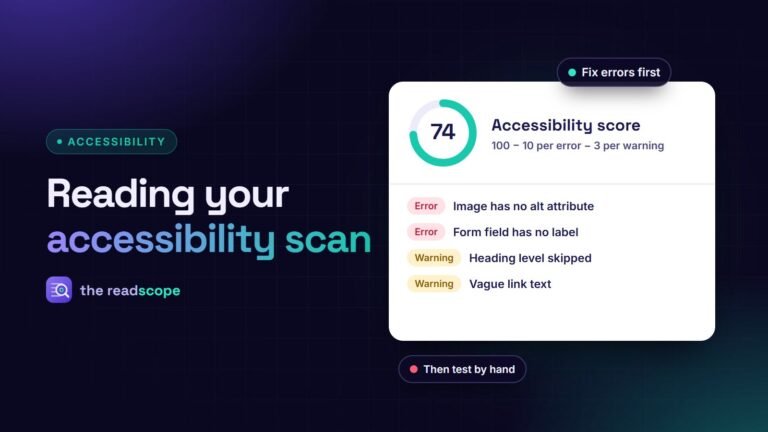
Every issue shows what failed, where, and what to change, so you fix problems instead of reading a report.

  • Errors and warnings, ranked by severity, each with the element snippet.
  • How-to-fix guidance on every issue, with a before and after example and a link to the matching WCAG page.
  • A "Fix these first" list that groups active issues by type, errors first.
  • Ignore and restore single issues; the score of a past scan is never recalculated.
Score = 100 − 10 per error − 3 per warning
02

See where visitors click

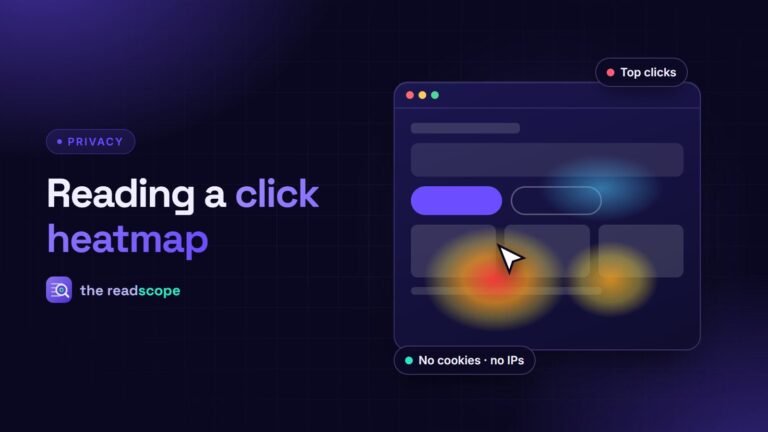
A heatmap that lives in your own WordPress admin, with nothing sent to an outside service.

  • Click intensity drawn over your live page, inside a browser-style frame.
  • Top clicked elements, ranked, with click counts and share of total.
  • Filter by 7, 30 or 90 days, and by desktop, mobile or tablet.
  • The hour of the day when your visitors are most active.
03

Give visitors the experience they need

A floating accessibility toolbar your visitors can open on any page, with presets for common needs.

  • Five profiles: Vision Impaired, ADHD Friendly, Seizure Safe, Dyslexia and Keyboard Only.
  • Text size, letter spacing, line height, a dyslexia-friendly font, reading line and reading mask.
  • High contrast, monochrome, saturation, highlighted links and titles, stop animations, big cursor.
  • Dark, light or system theme, and a bottom sheet on phones.
04

Publish an accessibility statement

Say what you check and how to report a problem, with the last scan date filled in for you.

  • One click to publish a statement page, with a live preview.
  • It states that you aim to conform; it does not certify conformance.
  • Fills in the last scan date and your top violations.
  • Show a badge anywhere with a shortcode.
[accessiq_badge]
Everything included

20 features in the free plugin

  • Scanner

    Score 0 to 100

    An animated score ring with a grade label, explained next to the number.

  • Scanner

    Levels A, AA and AAA

    Choose WCAG 2.1 or 2.2 and your target level for each scan.

  • Scanner

    WCAG 2.2 checks

    Focus Not Obscured (2.4.11), Dragging Movements (2.5.7) and Target Size Minimum (2.5.8).

  • Scanner

    Element and fix

    The element that failed, why, and a suggestion for each issue.

  • Scanner

    Scan history

    Date, score, issue count and level for every scan of a URL, with a score history chart.

  • Scanner

    Print reports

    Print a scan report straight from the browser.

  • Heatmaps

    Live click heatmap

    Intensity overlay on your own site, viewed inside wp-admin.

  • Heatmaps

    Top clicked elements

    A ranked table with selector, click count and share.

  • Heatmaps

    Filters

    Date range, device and page.

  • Heatmaps

    Peak activity hour

    When your visitors are most active.

  • Analytics

    Sessions and bounce

    Total sessions, average time on page and bounce rate.

  • Analytics

    Daily chart

    A line chart with hover tooltips and a 7, 30 or 90 day range.

  • Analytics

    Device split

    Desktop, mobile and tablet share.

  • Analytics

    Top pages

    Sessions, average time, bounce rate and main device for each page.

  • Analytics

    Privacy first

    No cookies, no third-party scripts, no Google Analytics.

  • Visitor widget

    Reading tools

    Font size, letter spacing, line height, dyslexia font, reading line and mask.

  • Visitor widget

    Colour tools

    High contrast, monochrome and saturation, highlighted links and titles.

  • Visitor widget

    Motion and navigation

    Stop animations, big cursor, keyboard focus highlight and screen reader optimisation.

  • Fixes

    Auto-fix engine

    Skip link, focus outline, HTML lang attribute and image alt text.

  • Fixes

    Accessibility statement

    A generated page and an embeddable badge.

Learn more

Guides and docs for AccessIQ

FAQ

Questions about AccessIQ

What does AccessIQ check?

It scans pages against WCAG 2.1 and 2.2 (A, AA and AAA), finds issues such as missing alt text, empty links, skipped headings, form labels and colour contrast, scores each page from 0 to 100 and shows which element failed and how to fix it.

Will it make my site fully compliant?

No tool can do that alone. Automated scans find only part of the problems, so you still need manual checks such as keyboard and screen reader testing. AccessIQ helps you find and fix what can be detected.

Do I need an API key or subscription for the free version?

No. The free plugin has no API keys and no subscriptions, and scans run without limits.

Does the heatmap use cookies or send data elsewhere?

Heatmaps and behavior analytics are self-hosted and cookie-less, so the data stays in your own WordPress database.

What does Pro add?

White-label PDF reports, an AI alt text generator, a multi-site hub and more. See the plans below.

How many sites can I use it on?

The free plugin works on unlimited sites. Pro plans are sold per number of sites; pick one in the pricing section, with annual or lifetime billing.

Pricing

AccessIQ plans

Free

$0

Forever free. No credit card.

Download free
  • Unlimited WCAG 2.1 scans (A, AA, AAA)
  • Compliance score, history and trend chart
  • Self-hosted click heatmaps
  • Behavior analytics
  • Frontend accessibility widget
  • Scheduled scans with email alerts

Starter

$59/yr

1 site · or $179 lifetime

Get Starter
  • Everything in Free
  • PDF compliance reports
  • AI alt text generator
  • Heading Hierarchy Fixer
  • ARIA Label Auto-Writer
  • Advanced analytics and email reports
Most popular

Pro

$129/yr

5 sites · or $389 lifetime

Get AccessIQ Pro
  • Everything in Starter
  • White-label PDF reports
  • Multi-Site Hub, up to 25 sites
  • Remote Hub API

Agency

$249/yr

Unlimited sites · or $749 lifetime

Get Agency
  • Everything in Pro
  • Multi-Site Hub, unlimited sites
  • Priority support
  • Early access to new features

14-day money-back guarantee on paid plans · Secure checkout · Refund policy

Changelog

What changed in AccessIQ

v2.2.0

  • New: how-to-fix guidance on every scan issue, with a before/after example and a link to the matching WCAG page
  • New: “Fix these first” list on the report page (active issues grouped by type, errors first)
  • New: ignore and restore individual issues on the report page; ignored issues are hidden from the lists, and the stored score of a past scan is not recalculated
  • New: the score is now explained next to it (100 minus 10 per error and 3 per warning, minimum 0)
  • New: first-run setup guide (scan a page, choose whether to show the accessibility toolbar, find the statement generator); you can skip it or reopen it from the About page
  • New: clearer empty Overview with a “Run your first scan” card
  • New: interactive quick tour on the About page (six short scenes using sample data, with optional voiceover from your browser’s built-in speech; no audio files or external requests)
  • Improved: the report shows the WCAG version and level the scan used
  • Improved: clearer messages when a scan cannot finish (timeout, page not loadable, empty page); the scan button shows its busy state
  • Improved: the scanner rejects pages outside your site with a clear message
  • New: a short, dismissible request for a WordPress.org review, shown to administrators on AccessIQ screens only after 14 days of use (“Maybe later” waits another 14 days, “I already did” hides it for good)
  • Fix: the “View full report” link shown after a browser scan did not open the report

v2.1.1

  • Fix: PHP 8.1+ deprecation notice (“Implicit conversion from float to int”) on the dashboard average-time figure

v2.1.0

  • Security: fixed a stored XSS (public tracking data rendered in the admin Heatmap, Reports and Journey screens)
  • Security: the scheduled-scan endpoint is no longer public and scans use SSRF-safe requests limited to your own host; the Remote Hub trigger accepts only this site
  • Security: public tracking endpoints are validated and throttled; CSV exports neutralise spreadsheet formulas
  • Security: Remote API key is stored encrypted and guessing is rate-limited; the Regenerate key button (always failed before) now works
  • Fix: scanner accuracy — alt=”” no longer reported as missing, heading skips detected in document order, missing lang is Level A, element snippets are kept, one score formula for browser and server scans
  • Fix: Accessibility Profiles — Vision and Dyslexia shrank page text to 1–3%; Seizure/ADHD/Keyboard profiles now apply real features; saved out-of-range settings are repaired
  • Fix: Monochrome and Saturation no longer cancel each other; the Screen Reader option no longer blanks image alt text
  • Fix: Statement “Publish as Page” never worked (payload mismatch) and now builds escaped, well-formed HTML
  • Fix: scheduled scans can now be enabled from Settings > Scanner (daily / weekly / monthly)
  • Fix: tracking keeps working on cached pages (signed token instead of an expiring nonce) and visitors are no longer merged into one session
  • Fix: skip link is the first element on the page; Auto-Fix alt text uses your Media Library alt instead of blanking every image
  • Fix: timezone mismatches in dashboard queries, PHP 8.1 deprecation notices, unbounded chart ranges, false “missing lang” on pages starting with a BOM
  • New: choose the WCAG target (2.1 or 2.2) and level (A / AA / AAA) in Settings > Scanner or on the Scanner page; reports, badge and statement follow it, and checks above the chosen level or version are skipped
  • New: [accessiq_statement] shortcode prints your saved accessibility statement anywhere; [accessiq_statement link="1"] prints only a link to it
  • Change: the compliance badge reads “Committed to WCAG 2.2 AA” by default (follows your target); “Compliant” wording needs claim=”compliant”
  • Improvement: admin stylesheet loads only on AccessIQ screens; Google Fonts removed (no external requests); new database indexes; scan history older than 365 days is pruned (filter accessiq_scan_retention_days); upgrade notice dismissal is per user
  • Database version 1.6 (existing sites upgrade automatically)

Full changelog on WordPress.org

Try AccessIQ today

Pick a product and be live in minutes. Free plans available.

Find your product