Skip to content
Documentation · Free

Nirdeshio Documentation and knowledge base for WordPress

Nirdeshio is a documentation and knowledge base plugin for WordPress: instant search, table of contents, dark mode, glossary, Markdown import and llms.txt. Fast, theme-independent, no jQuery, and fully free.

WordPress.org · Leave a review · Docs

Version
v1.2.0
Last updated
31 Oct 2026
Tested up to
WordPress 7.1.4
Overview

What Nirdeshio does

Nirdeshio is a documentation and knowledge base plugin for WordPress, for software companies, plugin and theme developers, SaaS founders, WooCommerce sellers and agencies.

It keeps the frontend light (under 30 KB of gzipped JavaScript, no jQuery), scopes its styles so they do not leak into your theme, and makes your docs readable by AI assistants as well as people.

Key features

What you get with Nirdeshio

  • Knowledge bases

    As many projects as you need, with sections three levels deep and drag-and-drop article order.

  • Instant search

    Full-text search that uses MySQL FULLTEXT, and loads only when a visitor opens it.

  • AI-ready docs

    An /llms.txt map, an /llms-full.txt file and a Copy as Markdown button on every article.

  • Fresh content

    A review date per article, and a dashboard widget that shows stale and draft articles.

  • Glossary

    Define terms once; the first mention in an article gets a tooltip definition.

  • WooCommerce docs

    Link articles to products, and those products get a Documentation tab.

Requirements License: GPLv2 or laterRequires: WordPress 6.5PHP: 8.0 or newer

In detail

How Nirdeshio works

01

Docs people can find

A sidebar, search, table of contents and breadcrumbs that help a reader reach the answer.

  • Sidebar styles: accordion, rail or tree.
  • Auto-generated table of contents, breadcrumbs, previous and next links.
  • Light and dark mode, print layout and a mobile slide-out menu.
  • "Was this helpful?" feedback on every article.
02

Search that answers

Visitors find the right article as they type, and drafts are never shown.

  • MySQL FULLTEXT search, not a slow LIKE query.
  • A search modal that loads only when it is opened.
  • A search block you can place anywhere on your site.
03

Readable by AI assistants

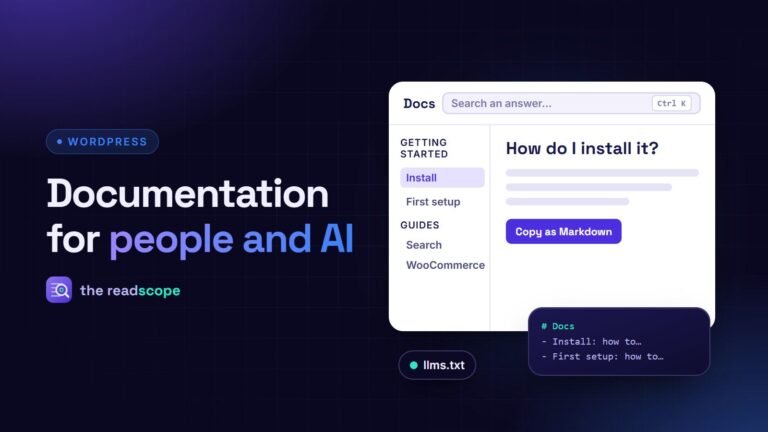
Give assistants a clean map of your docs instead of leaving them to guess from rendered HTML.

  • /llms.txt: one line per article with a short summary, grouped by project.
  • /llms-full.txt: the same index with the full plain-text body of every article.
  • Copy as Markdown on every article, ready to paste into an AI chat.
  • Only published articles in published projects are included, and a filter turns it off.
/llms.txt
04

Terms that explain themselves

Define your product's words once and let the docs explain them at the right moment.

  • The first mention of each term in an article gets a tooltip definition.
  • Links, headings and code samples are never touched.
  • Embed the full glossary anywhere with a block or shortcode.
[nirdeshio_glossary]
Everything included

23 features in the free plugin

  • Content

    Projects and sections

    No cap on knowledge bases, sections (three levels deep) or articles.

  • Content

    Sections manager

    Create, rename, re-nest, icon and delete sections in one screen.

  • Content

    Markdown import

    Drop in a .md file and it lands as a draft article.

  • Content

    Import and export

    Move a project as JSON.

  • Content

    Sample content

    Publish a demo knowledge base, and remove it just as easily.

  • Reading

    Table of contents

    Auto-generated, with breadcrumbs and previous and next links.

  • Reading

    Related articles

    Shown under each article.

  • Reading

    Light and dark mode

    Respects the system preference and can be toggled.

  • Reading

    Reading time

    Reading time, author byline and last-updated date.

  • Design

    Layout modes

    Canvas (full page) or theme (inside your active theme).

  • Design

    Templates

    Clean, Modern and Compact.

  • Design

    Brand

    A colour, logo and intro line for each knowledge base, plus up to four header links.

  • Design

    Custom CSS

    Per project, without a child theme.

  • AI and SEO

    llms.txt and llms-full.txt

    Always-current maps of your documentation.

  • AI and SEO

    Copy as Markdown

    A button on every article.

  • AI and SEO

    SEO plugins

    Compatible with Yoast SEO, Rank Math and AIOSEO.

  • AI and SEO

    FAQ schema

    The FAQ block outputs FAQPage structured data.

  • Blocks

    Gutenberg blocks

    Search, Article List, Popular Articles, FAQ, Glossary and Callout.

  • Blocks

    Shortcodes

    Documentation list, search, article list, popular articles, FAQ and glossary.

  • Care and store

    Freshness tracking

    A review date per article and a dashboard widget for stale and draft articles.

  • Care and store

    Feedback

    A "Was this helpful?" vote, stored in your own database.

  • Care and store

    WooCommerce

    Link articles to products to give them a Documentation tab.

  • Care and store

    Privacy

    No data is sent to outside servers.

Learn more

Guides and docs for Nirdeshio

Changelog

What changed in Nirdeshio

v1.2.0 New: WooCommerce product documentation, now free Link articles to WooCommerce products from a sidebar panel in the article editor; linked products get a “Documentation” tab. Declares compatibility with WooCommerce High-Performance Order Storage. This feature previously lived in a separate add-on; it is now part of the plugin and free. Existing product links keep working. 1.1.1 New: Onboarding wizard Added a skippable first-run setup (welcome, first section, navigation style, shortcode placement). Skip is always available; the wizard never blocks the dashboard. Added [nirdeshio_docs] to embed a published documentation list, plus an optional “auto-create a page” action during setup. Settings includes Re-run setup wizard, which resets only the wizard UI — existing sections and articles stay. Optional, local-only setup analytics (step number + timestamp) when you explicitly opt in. Nothing is sent off-site. 1.1.0 New: Sections manager Added a dedicated Sections screen — create, rename, re-nest, set a Dashicon, and delete sections without opening an article. New: Markdown import Import a .md file directly as a draft article from the Import / Export screen. New: Project appearance & navigation Added Accordion, Rail, and Tree navigation styles — pick how the sidebar organizes sections and articles per project. Added per-project logo upload and a customizable landing-page intro line. Added optional header links (up to 4) for linking out to support, changelog, or any custom page. Added per-project custom CSS. Table of contents, feedback, related articles, and print button can each now be toggled on or off per project. New: WordPress dashboard widget Added a dashboard widget showing draft, stale (90+ days unreviewed), and unsectioned article counts. Shortcode names changed (breaking) All shortcodes were renamed to match the plugin’s public name: [doczur_search] → [nirdeshio_search], and similarly for doczur_docs_list, doczur_popular_docs, doczur_faq, and doczur_glossary. There is no backward-compatible alias — if you used the old shortcode names anywhere, update them after upgrading. Fixes The article list REST endpoint now paginates correctly instead of silently truncating at 100 articles. Saving a custom URL slug base now reliably flushes rewrite rules so the new slug takes effect immediately. 1.0.0 Editor Article editing now happens entirely in the native WordPress block editor (Gutenberg) — no HTML tags are ever shown, and every core block (images, tables, lists) is available. Added a “Nirdeshio” panel to the block editor’s sidebar for section, version, tags and the “Mark reviewed today” control — no separate metadata form. Added a “Nirdeshio Callout” block (Info / Tip / Warning / Danger) for coloured notes inside an article, insertable from the regular block inserter. The Documentation screen is now a lightweight tree: search, drag-and-drop ordering, bulk actions, and a “+ New” button that opens straight into the editor. AI-ready documentation Added /llms.txt, an automatically generated map of your documentation following the llmstxt.org convention. Added /llms-full.txt, which also includes the full text of every published article. Added a “Copy as Markdown” button to every article. Both routes are cached, exclude unpublished content, and can be disabled with the itsdz_llms_txt_enabled filter. Glossary Added a glossary: define a term once and the first mention in each article gains a tooltip definition. Alternative spellings are supported, so plurals and abbreviations match too. Auto-highlighting never alters links, headings, code samples or HTML attributes, and can be disabled with the itsdz_glossary_autolink filter. Added the itsdz/glossary block and [nirdeshio_glossary] shortcode. New blocks and shortcodes itsdz/faq and [nirdeshio_faq] — collapsible question lists that also emit FAQPage structured data. itsdz/popular-docs and [nirdeshio_popular_docs] — rank articles by views or publish date. All blocks now ship an editor interface, so their settings can be configured from the block sidebar. Content maintenance Articles can record a review date; anything unreviewed for 90 days is flagged in the article list. Added one-click sample content that publishes a complete demo knowledge base and removes it just as cleanly. Articles now display their author and, when set, the date they were last reviewed. UI polish The KB landing page no longer shows a duplicate search box — the top navigation search is now hidden on the landing page in favour of the hero search, and stays visible on article pages. Section cards without a custom icon now show a monogram of the section name instead of a generic “§” placeholder. Improved field spacing and button contrast on the Glossary admin screen. Under the hood Added a WordPress integration test suite alongside the existing unit tests. Added a small extension architecture: the itsdz_services filter lets an add-on register its own backend services, itsdz_kb_overview_extra lets one add data to the Documentation screen’s overview panel, and itsdz_is_pro_active() is a simple informational check for “is an add-on active”. None of it is used by this plugin itself. 0.1.0

  • Initial public release.
  • Knowledge base and article custom post types with section, tag, and version taxonomies.
  • Setup Wizard (5 steps), Documentation Tree Builder, Settings screen, Import/Export UI.
  • Gutenberg block editor admin interface (React + TypeScript).
  • Instant full-text search with MySQL FULLTEXT index.
  • Auto table of contents, breadcrumbs, Previous/Next navigation, related articles.
  • “Was this helpful?” feedback system.
  • Buffered view counter (5-minute WP-Cron flush, Action Scheduler compatible).
  • Dark mode, print layout, mobile slide-out navigation.
  • itsdz/search and itsdz/docs-list Gutenberg blocks.
  • [nirdeshio_search] and [nirdeshio_docs_list] shortcodes.
  • Canvas and theme layout modes.
  • Clean, Modern, and Compact template styles.
  • Translation-ready with RTL support.
  • REST API (itsdz/v1) for admin and public endpoints.

Full changelog on WordPress.org

Try Nirdeshio today

Pick a product and be live in minutes. Free plans available.

Find your product