Install MasjidOS and show prayer times
Install the free plugin, set your location once and put live prayer times on a page.
MasjidOS is a mosque management plugin for WordPress. By default prayer times are calculated on your own server from your coordinates, so no outside prayer service is needed. This page takes you from install to a live prayer widget in about five minutes.
Requirements
- WordPress 6.2 or newer
- PHP 7.4 or newer
Install
- In WordPress, open Plugins → Add New and search for MasjidOS. Or upload the
masjidosfolder to/wp-content/plugins/. - Click Install, then Activate. The Welcome screen opens.
Set up in one minute
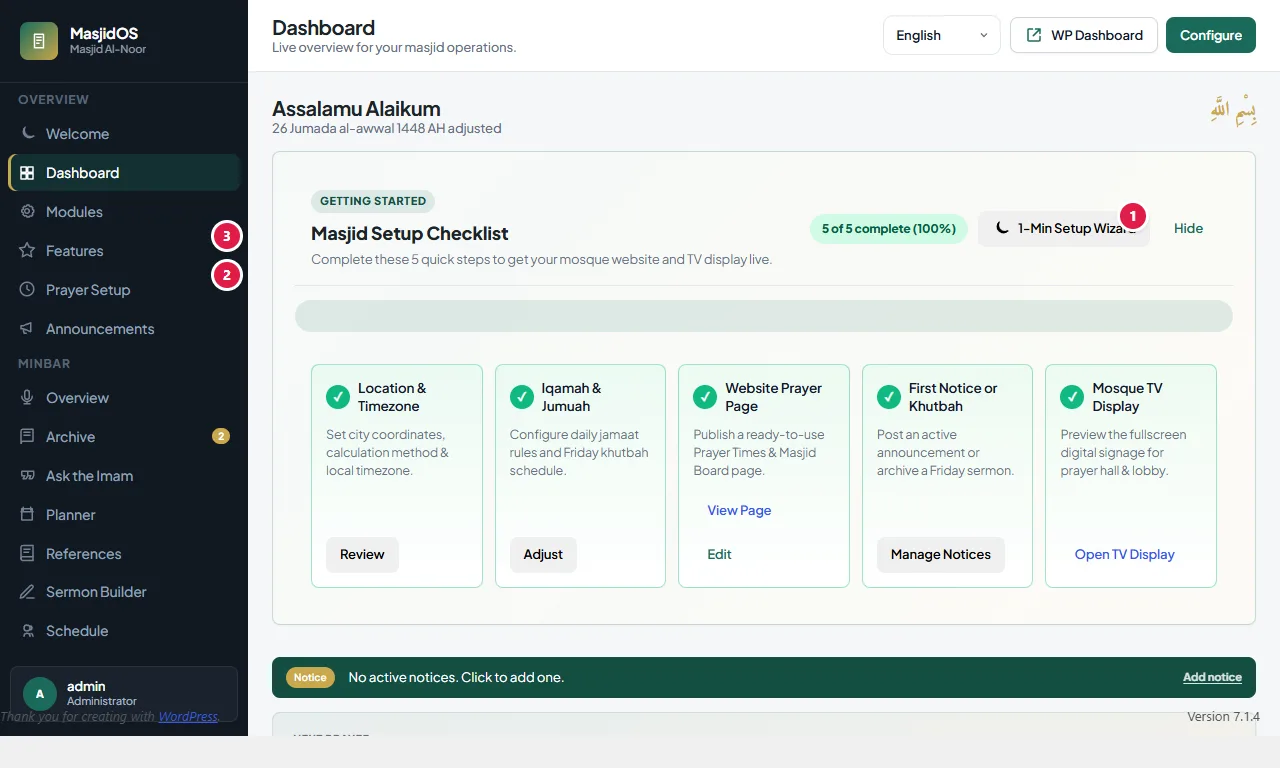
The Welcome screen has a short setup wizard. It asks for your mosque name and language, your location (you can fill it from the browser’s location or pick a preset), your Iqamah offsets and Jumuah times, and it can publish starter pages for you. A five-step checklist on the MasjidOS dashboard tracks what is left: location and timezone, Iqamah and Jumuah, a public prayer page, a first notice or khutbah, and a look at the TV display.
To do it by hand instead, open MasjidOS → Settings → Profile and set the mosque name, city, timezone, latitude and longitude (Detect My Location fills the coordinates from your browser). Then open MasjidOS → Prayer Setup → Calculation and pick the calculation method and Asr method. Use your real city timezone, for example Asia/Dhaka, not UTC.
Show it on a page
- Open MasjidOS → Features, choose Prayer Times and copy the shortcode.
- Edit a page, add a Shortcode block, paste
[masjidos_prayer_times]and publish.
You can paste any shortcode in a page or post, in a widget area (Appearance → Widgets, with a Shortcode block), or in a page builder’s shortcode element. The editor also has MasjidOS blocks if you prefer clicking to typing.
The mosque TV
Open /masjidos-display/ on your site for a fullscreen board with live times, a countdown to the next prayer, the Hijri date and your notices. See TV display.