Shortcode Builder and saved embeds
Build an embed with a live preview, save it once and reuse it on many pages.
The Shortcode Builder is under Flipset → Shortcode Builder. It has a live preview and one-click presets, and it writes the shortcode for you.
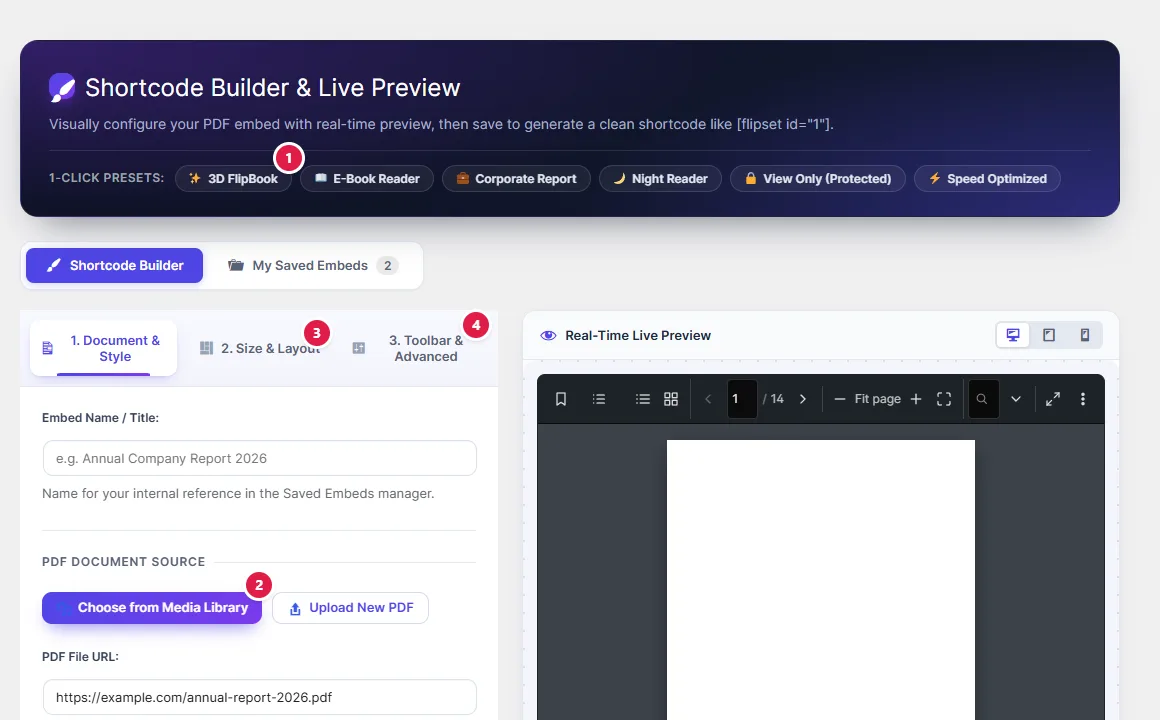
Save an embed once, use it everywhere
- Build the embed in the Shortcode Builder and save it.
- Use it with
[flipset id="1"], or put the saved embed’s number in the block.
When you edit the saved embed later, every page that uses it updates. This is handy for a document that appears on many pages and gets replaced now and then.
Override a saved embed
Attributes written on the shortcode win over the saved ones: [flipset id="1" theme="dark"].