Install Flipset and embed your first PDF
Install the free plugin, add a PDF and show it on a page with a block, a shortcode or a pasted link.
On this page
Flipset shows PDF documents on your WordPress site with a viewer that ships inside the plugin. Nothing is loaded from a CDN, and no API key or outside service is needed. Pages are drawn in the visitor’s browser from files on your own site.
Requirements
- WordPress 6.0 or newer
- PHP 7.4 or newer
Install
- In WordPress, open Plugins → Add New and search for Flipset. Or upload the
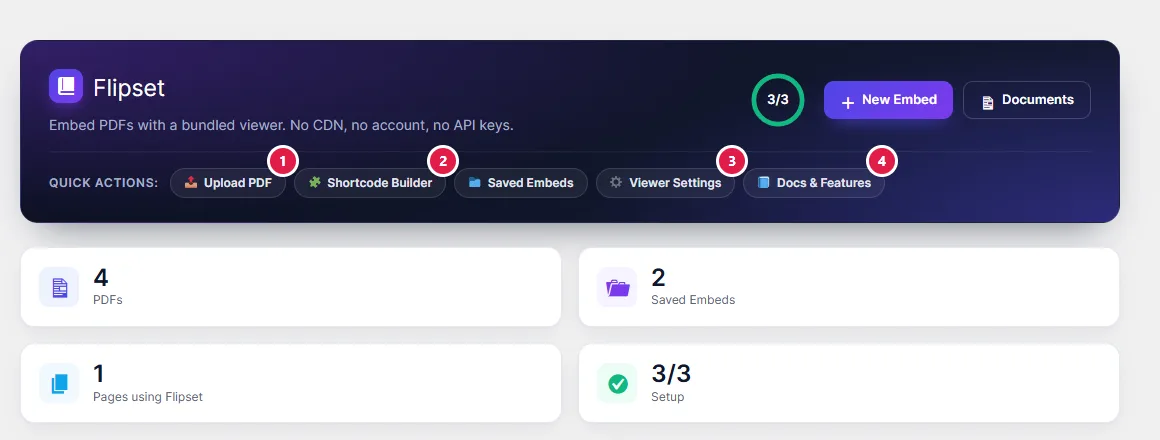
flipsetfolder to/wp-content/plugins/. - Click Install, then Activate. You land on the Flipset dashboard.
Add a PDF
Upload a PDF in Media, or open Flipset → Docs & Features, which lists every PDF in your Media Library with a preview.
Show it on a page
Pick any one of these. They all show the same viewer.
- Block: in the editor, add the Flipset Viewer block and choose the PDF from the Media Library. You get a first-page preview in the editor.
- Shortcode:
[flipset file="https://example.com/document.pdf"]. Use this in the classic editor, in widgets and in PHP templates. - Pasted link: paste a direct
.pdflink on a line by itself and it is embedded for you. - Page builder: Elementor, Divi and Beaver Builder have a Flipset Viewer widget.
PDF attachment pages can also show the viewer. That is a setting.
What visitors can do
- Zoom, fit the page or the width, and rotate
- Find text, with a match count
- Open page thumbnails and the document outline
- Use the hand tool, fullscreen and presentation mode
- Print and download
- Select text and follow links inside the PDF
- Enter a password for a password-protected PDF