MasjidOS Pro: donations
Campaigns, a public donation form, bKash and Nagad checkout, and committee confirmation.
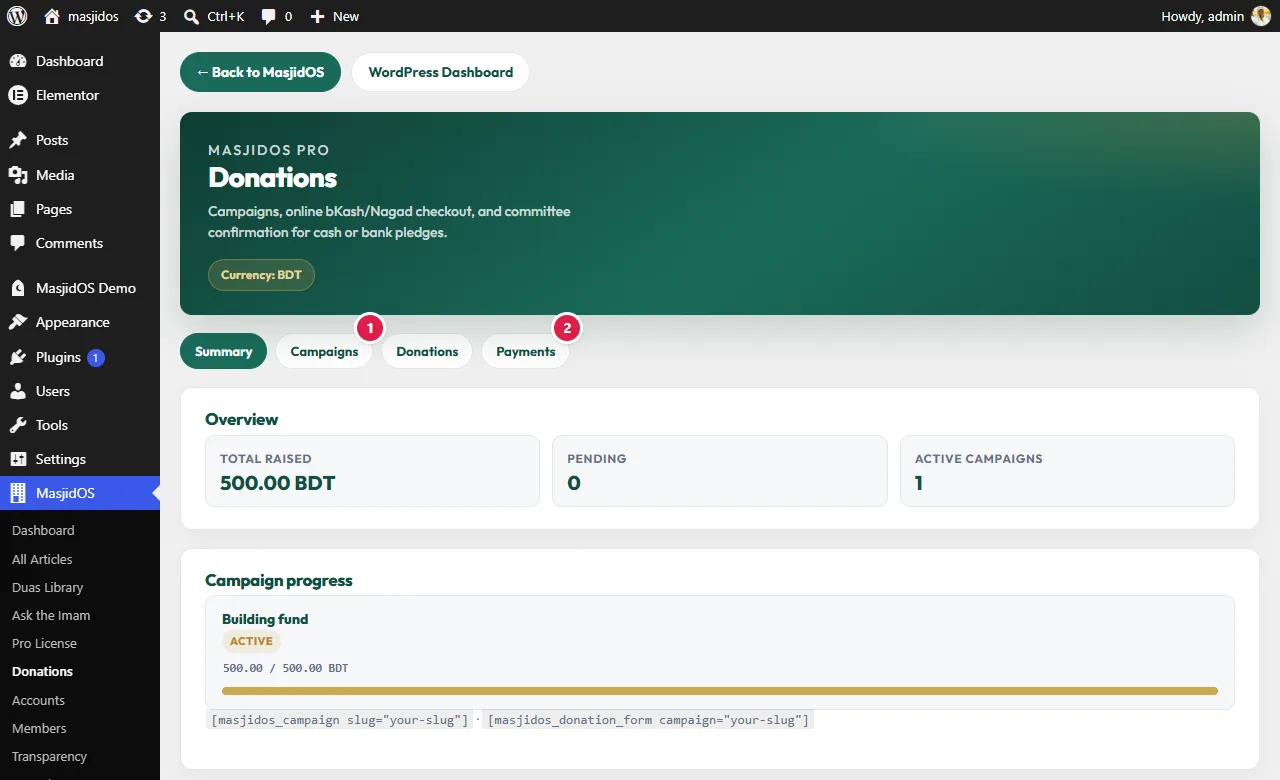
Open MasjidOS → Donations. It has four tabs: Summary, Campaigns, Donations and Payments. Donations and Accounts share one currency (BDT by default).
Campaigns
In Campaigns add a title, a goal and a status, and optionally link a fund. Publish it when it is ready. The campaign’s slug is what you use in shortcodes.
Show the form and the progress
[masjidos_donation_form campaign="building-fund"]
[masjidos_campaign slug="building-fund"][masjidos_donation_form]is the public form. Thecampaignattribute is optional.[masjidos_campaign]shows a goal, progress and recent donors. Theslugis required and must match a published campaign.
Payments: bKash and Nagad
In Payments enable bKash and/or Nagad, choose Sandbox or Live, and paste your merchant credentials. They never reach the public page. A donor who picks bKash or Nagad is redirected to pay, and MasjidOS then verifies the payment with the gateway on your server and marks it completed. The online methods appear only when a gateway is set up. Online payments follow the site currency, and they are meant for BDT today. Test with Sandbox credentials before you switch to Live.
Cash, bank transfer and other methods are always available and always wait for a committee member to confirm.
Statuses
- pending: waiting for confirmation (cash or bank, or an unpaid online attempt). It does not count toward the raised total.
- completed: counted as raised, income is posted to the ledger, and a receipt is sent if you turned that on and the donor gave an email.
- cancelled or refunded: reverses the ledger income if it was posted.
A completed donation posts income to the campaign’s fund (or the General fund). A repeated gateway callback does not post twice. You can also add a donation by hand in the Donations tab, print a receipt and export a CSV.