TV display
A fullscreen mosque board for a lobby TV, with a countdown, notices and a calm prayer mode.
Open /masjidos-display/ on your site. It is a fullscreen board for a lobby TV or a small PC connected to a screen. Leave the page open and it keeps itself current: it reloads every 15 minutes and refreshes when the browser reconnects.
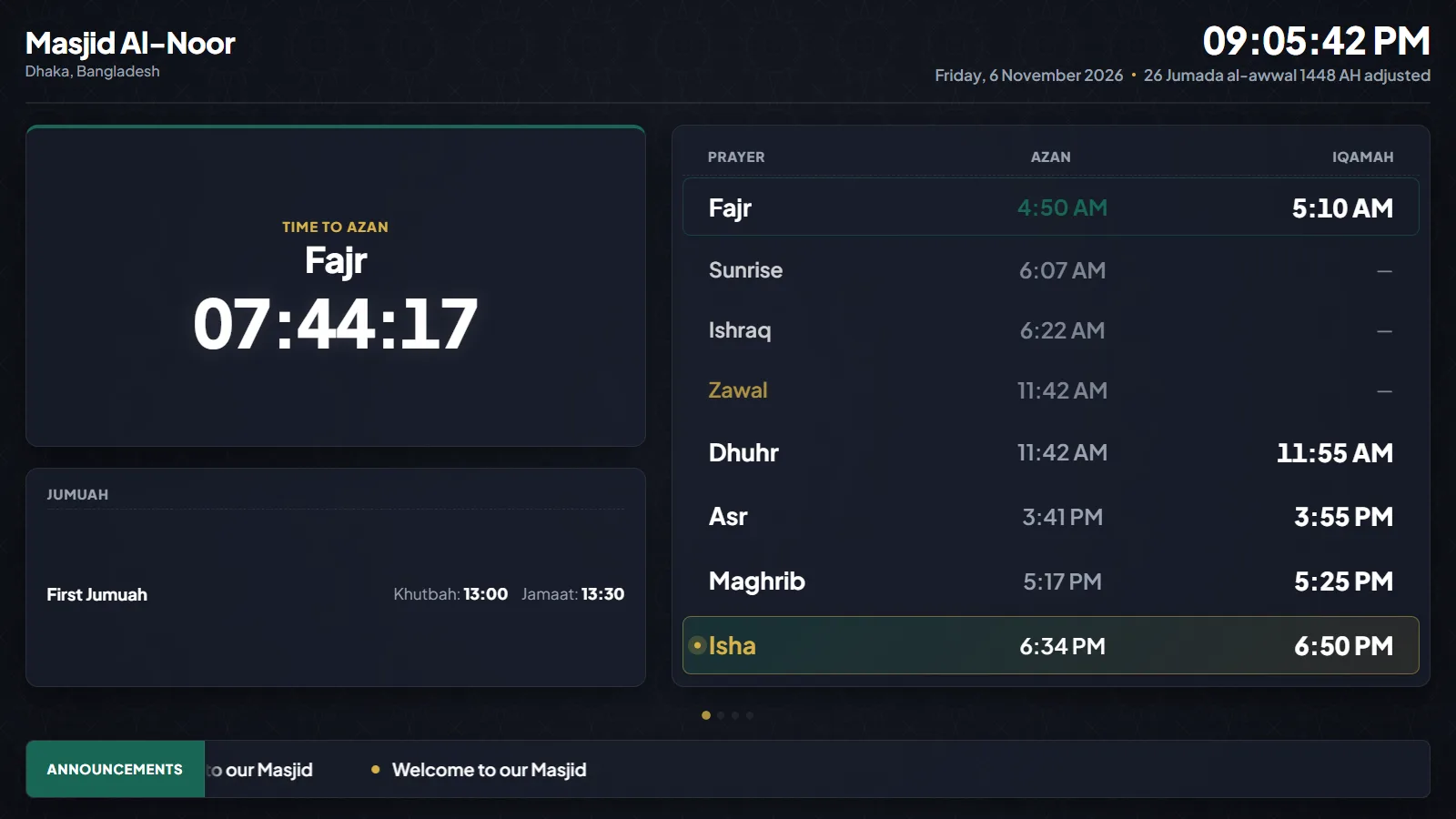
What it shows
Live prayer times with Iqamah, a countdown to the next prayer, the Hijri date, your Jumuah details and your active notices, with your mosque name and logo. With slides on, it rotates between the prayer board, notices and Jumuah. Fonts are bundled with the plugin, so the board makes no Google Fonts request.
Settings
Open MasjidOS → Settings → TV Display. You can also copy the display link or open the board from that screen.
- Theme: dark (gold and charcoal), light (teal and slate) or green (emerald and gold).
- Layout: classic (table and countdown), split (large countdown first) or focus (hero countdown with a strip).
- Font size: small, normal, large or extra large.
- Logo: pick one from the Media Library.
- Announcement scroll speed: from 3 to 30. Lower is faster.
- Rotate slides: on or off, and the seconds per slide (12 by default, 6 to 60).
- Clock: 24-hour or 12-hour.
- Pre-prayer alert: how many minutes before azan or Iqamah the countdown pulses (1 to 30).
- Quiet / Salah mode: after Iqamah, slides and the ticker pause and a calm “Prayer in progress” screen shows for a set number of minutes (5 to 45, 15 by default).
- Overnight dim: soften the screen between two times, 23:00 to 04:30 by default.
Change one screen without changing the others
Add options to the address to override the saved settings on one TV:
/masjidos-display/?layout=split&theme=green&lang=bn&font_size=large&quiet=offThe options are layout, theme, lang, font_size and quiet (on or off).