How to audit a WordPress plugin for privacy in 10 minutes
A quick, repeatable way to see which outside servers a plugin contacts, what it stores and what you must disclose in your privacy policy.
Every plugin you install is code that runs on your site and, sometimes, talks to servers you have never heard of. Before it goes live, it is worth ten minutes to find out what it does with your visitors’ data. This repeatable audit works for any plugin and needs no special tools.
Step 1: Use a test copy
Install the plugin on a staging or local site with sample content. Never test on production first.
Step 2: Read the readme properly
Open the plugin’s page and look for these sections:
- External services: which third parties are contacted, for what purpose, and links to their terms and privacy policies.
- Privacy: what data is collected and stored.
- Changelog: recent security or privacy fixes.
If a plugin plainly depends on a cloud service but never mentions it, treat that as a warning sign.
Step 3: Watch the network
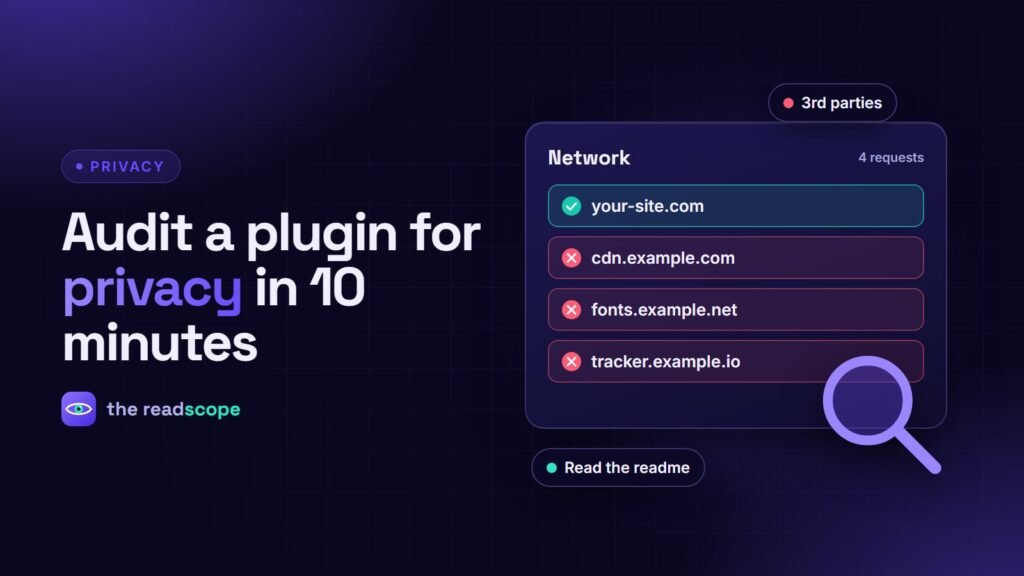
- Open a private window and the browser developer tools, Network tab.
- Load a front-end page before activating the plugin, and note the domains.
- Activate the plugin, hard reload, and note any new domains.
- Repeat on the plugin’s admin screens.
New domains for fonts, scripts, images or analytics are third-party connections. Each needs a reason, and some need consent or a mention in your privacy policy.
Step 4: Check what it stores
- Look in the database for new tables and options with the plugin’s prefix.
- Check whether it records IP addresses, emails or user agents.
- Check cookies and browser storage in the Application tab.
Step 5: Check the exit
Deactivate and delete the plugin on the test site. Did the tables and options disappear? Plugins that leave personal data behind create a long-term obligation.
Score it
| Question | Good answer |
|---|---|
| Contacts outside servers on page load? | No, or only ones you chose |
| External services documented? | Yes, with data details |
| Stores personal data? | Only what is needed, with export and erase support |
| Loads fonts or scripts from a CDN? | No, or a clear reason |
| Cleans up on uninstall? | Yes |
Why we hold ourselves to this
This is the test we apply to our own products, and the reason we bundle fonts, viewers and scripts instead of loading them from a CDN. Read the reasoning in Why we self-host everything in our plugins, and for a concrete example of a privacy-friendly consent tool see Consentaro. This article is general information, not legal advice.
Frequently asked questions
Do WordPress.org plugins have to disclose external services?
The plugin directory guidelines expect plugins that rely on third-party services to document them, including what data is sent and when. Check the readme's external services section.
How can I see what a plugin sends to other servers?
Use the browser's network tab on the front end and admin screens, filter by domain, and compare the list before and after activating the plugin.
What should I look for in the database?
Custom tables and options created by the plugin, and whether they store personal data like IP addresses, emails or user agents.
Does the plugin clean up after itself?
Check whether uninstalling removes its settings, tables and files, or leaves personal data behind.