Scrollytelling in WordPress: build a scroll story without jQuery
How scroll-driven stories work, when they help, and how to build one in WordPress that stays fast, accessible and readable on a phone.
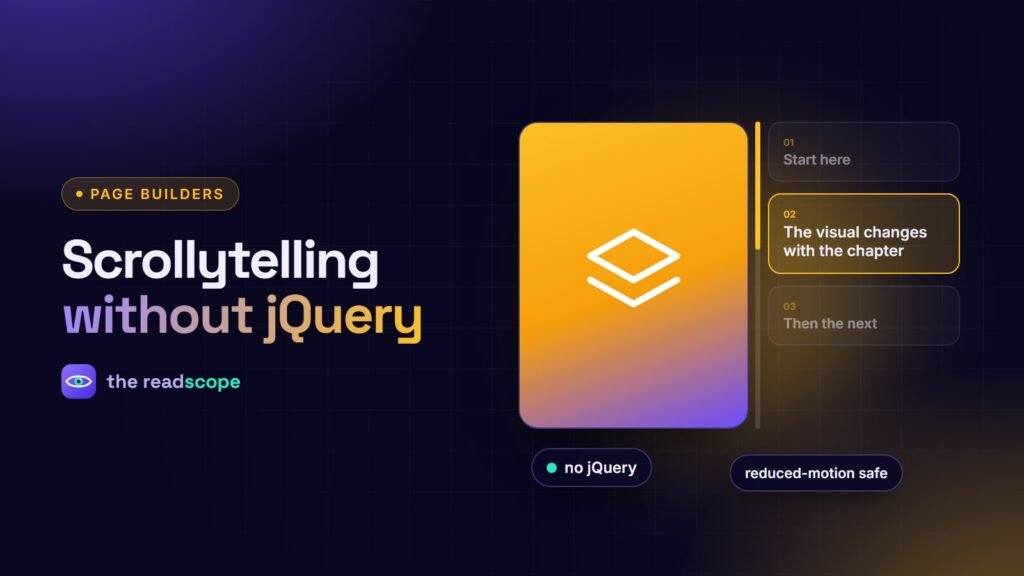
A good scroll story feels like a guided tour: as you scroll, a visual on one side changes while short chapters of text explain each step. It suits sequences, such as how a process works, how a product is built or how a timeline unfolded. A bad one is a slow, janky page that hides the point. Here is how to build the good kind.
How the format works
- A sticky viewport (an image, diagram, chart or video) stays fixed while the section scrolls.
- Several chapters of text scroll past it.
- When a chapter enters the middle of the screen, the visual updates to match.
When it is worth it
- Explaining a process in four to seven steps
- Showing before and after changes
- Walking through a product’s features in order
- Telling a company or project timeline
Skip it for content people scan or compare, such as prices or specifications.
Design rules
- Short chapters. One idea and two or three sentences each.
- Four to seven steps. Beyond that, people lose the thread.
- Real content in the HTML. The text should be readable even without the animation.
- A clear mobile layout. On a phone, stack the visual above its text instead of keeping it sticky.
- Do not hijack scrolling. Never change scroll speed or block the page.
Performance and accessibility checklist
| Check | Why |
|---|---|
| Vanilla JavaScript, no jQuery | Less code to download and run |
| Assets only on pages that use it | Other pages stay light |
| Compressed, lazy-loaded media | Faster first load |
Respect prefers-reduced-motion |
Comfort and safety for motion-sensitive visitors |
| Logical reading and tab order | Screen reader and keyboard users |
| Text contrast over media | Readability. See Color contrast on WordPress: ratios, tools and easy fixes |
Building it in WordPress
You can hand-code it with CSS position: sticky and an IntersectionObserver, or use a module. Rawnaq includes a Scroll Story module for scrollytelling presentations with sticky media viewports and narrative chapters, plus a Scroll Sync Timeline and a Scroll Progress and Table of Contents module, all in vanilla JavaScript, loaded only on pages where they appear, and available in Elementor, Gutenberg and Divi. The Pro edition adds scroll-scrubbed video, scroll text reveals, horizontal scroll showcases and stacking cards.
Test before you publish
- Scroll slowly and quickly with a mouse wheel, trackpad and touch.
- Check it on a mid-range phone.
- Turn on reduced motion in your system settings.
- Read the page with the animation disabled.
For choosing a widget library, read Elementor, Gutenberg or Divi: building interactive sections that work in all three.
Frequently asked questions
What is scrollytelling?
A storytelling format where scrolling controls what appears: text chapters advance while a sticky image, chart or video changes with them.
Does scrollytelling hurt performance?
It can if built with heavy libraries or large autoplaying media. Use lightweight code, lazy loading and compressed assets.
Is it accessible?
It can be, if the content is in the HTML, the order is logical, motion respects the reduced-motion setting, and keyboard users can scroll through it normally.
When should I not use it?
For content people need to scan quickly, like pricing or documentation. Use it where a sequence is the point.