Accessibility overlays vs real fixes: what actually works
Do accessibility overlay widgets make a website compliant? A clear look at what widgets can do, what they cannot, and how to fix the underlying code.
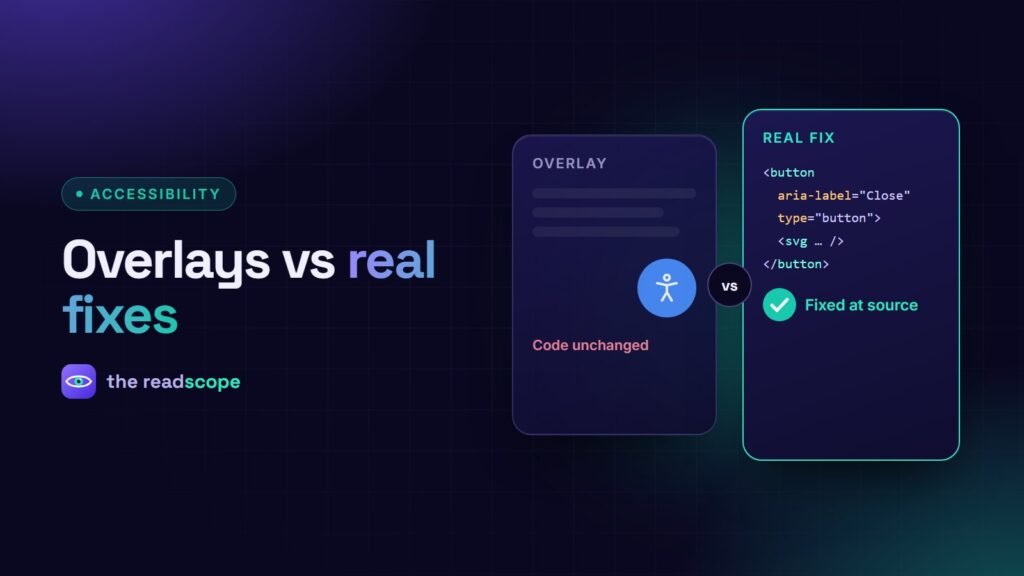
Search for “make my website accessible” and you will find tools that promise compliance with one line of JavaScript. These are usually called overlays. The accessibility community has been clear about their limits, and so should we be. Here is the practical difference between a display toolbar and a real fix.
What an overlay or toolbar can do
A visitor-facing toolbar can offer controls the visitor chooses: larger text, higher contrast, wider spacing, a reading line, paused animations. For some people those are genuinely helpful, and they cost nothing to use.
What it cannot do
- Rewrite your HTML properly. A button that is really a
divwith no keyboard support stays broken. - Write meaningful alt text. Guessing what an image shows is not the same as describing why it is there.
- Fix reading order and focus order created by your layout.
- Replace testing. Screen reader users already have their own software and settings, which a page-level layer can conflict with.
Why “compliance in one line” is the wrong promise
Conformance with WCAG is a property of your content and code, assessed page by page. No script can certify it. Be cautious of any product that claims otherwise, and of any statement that a site is “fully compliant” without an audit.
The real path: find, fix, verify
- Find issues with an automated scan to cover the structural basics: missing alt text, empty links, skipped headings, form labels, language, contrast.
- Fix them at the source: your theme templates, your page builder settings and your content.
- Verify by tabbing through key journeys, zooming to 200%, and trying a screen reader on checkout and contact forms.
- Repeat after each release. Accessibility regresses when content changes.
Where a widget still fits
A toolbar is a reasonable extra once the foundations are sound. AccessIQ ships both: a scanner that points to the exact element and the fix, and a frontend widget with display profiles for visitors. The scanner is the part that moves your site toward conformance; the widget is a convenience. Neither replaces manual testing.
A simple rule of thumb
If a tool changes what you ship (your HTML, labels and content), it can improve accessibility. If it only changes what the visitor sees on top of your page, treat it as optional comfort. For the technical checklist, read WCAG 2.2 checklist for WordPress sites. This is general information, not legal advice.
Frequently asked questions
Does an accessibility widget make my website ADA or EAA compliant?
No widget can guarantee compliance. Conformance depends on the site's code, content and design. A widget may offer visitor-controlled display settings, which is a convenience, not a fix.
Are accessibility toolbars useless?
Not entirely. Controls like text size, spacing and reading aids can help some people. They work best as an addition to an accessible site, not a substitute.
What should I fix first?
Start with problems that block people: missing form labels, unusable keyboard navigation, images without alt text, low contrast text and unlabelled buttons.
How do I know what is broken?
Combine an automated scan with manual keyboard and screen reader checks, then fix the underlying template or content.