Accessible dropdown menus in WordPress: what to check and how to fix it
Hover-only menus lock out keyboard and touch users. A short test and a safe pattern for submenus that work for everyone.
Menus are the first thing a keyboard user meets, and dropdowns are where many WordPress themes break. If a submenu appears only when the mouse hovers, a person using a keyboard, a switch device or a phone may never reach those pages. A few checks and one safe pattern fix most problems.
Test your menu in two minutes
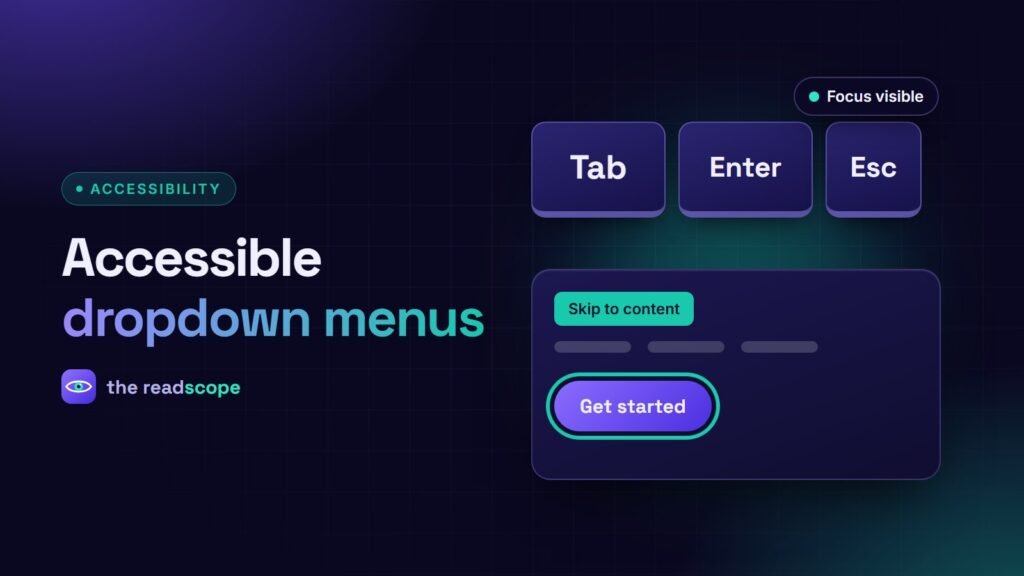
- Put the mouse aside and press Tab from the top of the page. Can you reach every menu item, including submenu items?
- Is the focus outline always visible, including on submenu links?
- Can you open a submenu with Enter or Space, and close it with Escape?
- After Escape, does focus return to the button that opened the submenu?
- On a phone, can you open a submenu with one tap and close it again?
If any answer is no, the menu needs work. See also The 10-minute keyboard test every WordPress site should pass.
A pattern that works
Use a real button for each submenu, next to the parent link:
<li class="has-sub">
  <a href="/products/">Products</a>
  <button type="button" aria-expanded="false" aria-controls="sub-products">
    <span class="screen-reader-text">Show Products submenu</span>
  </button>
  <ul id="sub-products" hidden> ... </ul>
</li>
A short script toggles aria-expanded and the hidden attribute on click, closes the submenu on Escape, and returns focus to the button.
Rules of thumb
- Do not rely on hover. Hover can open the menu as an extra, but click and keyboard must work.
- Keep it shallow. One level of submenus is enough for most sites.
- Do not hide with
display:nonewhile open. Hidden items cannot be focused. - Do not trap focus. Tab should move on naturally to the next item.
- Use sensible names. The button text should say what it does, such as “Show Products submenu”.
- Add a skip link so people can bypass the menu. See Skip links and landmarks: the 15-minute navigation fix for WordPress themes.
Mobile menus
The hamburger button needs an accessible name, aria-expanded, and a way to close it with Escape. Make sure the open menu is not hidden behind other content and that the page behind it does not scroll while it is open.
Check the rest too
Menus are one part of a wider review. Our WCAG 2.2 checklist for WordPress sites covers the rest, and a scanner like AccessIQ can flag missing names and low contrast on menu links, while the keyboard test above shows how the menu really feels.
Frequently asked questions
Should dropdown menus open on hover?
Hover can be an extra, but menus must also open by click or keyboard. Hover-only menus cannot be used on touch screens or with a keyboard.
What does aria-expanded do?
It tells assistive technology whether the submenu is currently open or closed.
Should the parent item be a link?
If it is also a page, use a separate toggle button for the submenu so both the link and the submenu work.
How deep should a menu be?
Aim for one level of submenus. Deep nesting is hard to use for everyone.