The 10-minute keyboard test every WordPress site should pass
Unplug your mouse and test your WordPress site with the keyboard: a step-by-step checklist for focus, skip links, menus, forms and popups.
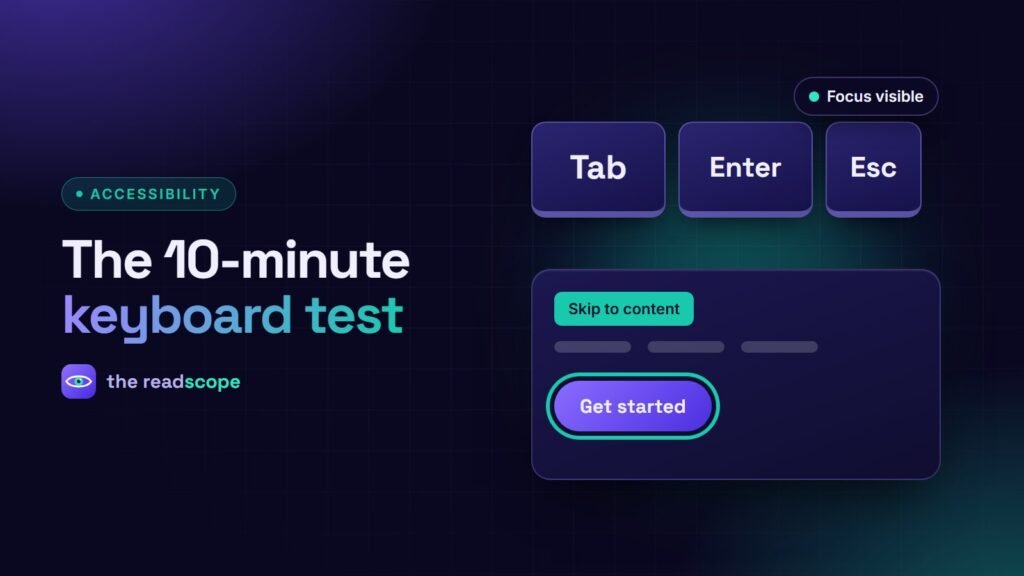
You can find the most serious accessibility problems on a website in ten minutes, with no tools at all: put your mouse aside and use only the keyboard. If you can complete your key journeys that way, you have covered a large part of what assistive technology users need.
The keys you need
| Key | What it should do |
|---|---|
| Tab / Shift+Tab | Move focus forward / backward through interactive elements |
| Enter | Activate links and buttons |
| Space | Activate buttons, tick checkboxes, scroll the page |
| Arrow keys | Move within menus, tabs, radio groups and sliders |
| Escape | Close menus, popups and dialogs |
The checklist
1. Can you always see where you are?
Every focused element needs a visible indicator. If the outline disappears (often a theme’s outline: none), that fails WCAG 2.4.7. In WCAG 2.2 the focused element must also not be completely hidden by a sticky header or cookie banner.
2. Is there a skip link?
Press Tab once on a fresh page load. The first stop should be a “Skip to content” link that becomes visible. It should jump to the main content, not just the top.
3. Is the order logical?
Focus should follow the reading order: header, main navigation, content, sidebar, footer. Watch for jumps caused by CSS positioning or positive tabindex values.
4. Do menus work?
Open the main menu and any dropdowns without a mouse. Submenus should open with Enter, Space or an arrow key, and close with Escape. On mobile, the menu button must be a real button.
5. Can you fill in forms?
Every field needs a visible label, errors must be announced and reachable, and you must be able to submit with Enter. Check the search form, the contact form and checkout.
6. Do popups behave?
When a dialog opens, focus should move into it, stay inside while open, and return to the trigger when it closes. Cookie banners and newsletter popups are common offenders.
7. Is there any trap?
If you can Tab into something (a video embed, a map, a chat widget) but cannot Tab out, that is a keyboard trap, a serious failure.
8. Do custom widgets respond?
Carousels, accordions, tabs and sliders must be operable without dragging or hovering.
Common WordPress fixes
- Restore a visible focus style in your theme’s CSS.
- Add a skip link if your theme lacks one.
- Replace clickable
divelements with real buttons or links. - Check page builder widgets for keyboard support before you rely on them.
AccessIQ can help here. Its Auto-Fix engine can add a skip link and a visible focus outline, and its scanner flags WCAG 2.2 issues such as focus obscured by sticky elements, drag-only interactions and small targets. The frontend widget also has a keyboard-navigation highlight for visitors. Automated checks cannot judge your focus order, so keep doing this manual test after each release.
For the full list of new success criteria, see WCAG 2.2 checklist for WordPress sites.
Frequently asked questions
Why test with a keyboard?
Many people cannot use a mouse, including people who use screen readers, switch devices or voice control. Keyboard access is the foundation of most assistive technology.
What should the Tab key do?
It moves focus to the next interactive element in a logical order, with a clearly visible indicator. Shift+Tab moves backwards.
What is a skip link?
A link at the very top of the page, visible when focused, that jumps past the repeated navigation to the main content.
What is a keyboard trap?
A place where focus enters but cannot leave using the keyboard, such as a badly built popup or embedded widget.