How to write an accessibility statement for your website
What to put in an accessibility statement, what to avoid claiming, and a simple structure you can publish on a WordPress site today.
An accessibility statement is a public page that tells people how accessible your website is and what to do if they hit a barrier. It builds trust, gives people with disabilities a route to get help, and records that you take the topic seriously. This is the structure that works for most WordPress sites.
The sections to include
- Your commitment. One or two sentences: you want everyone to be able to use the site.
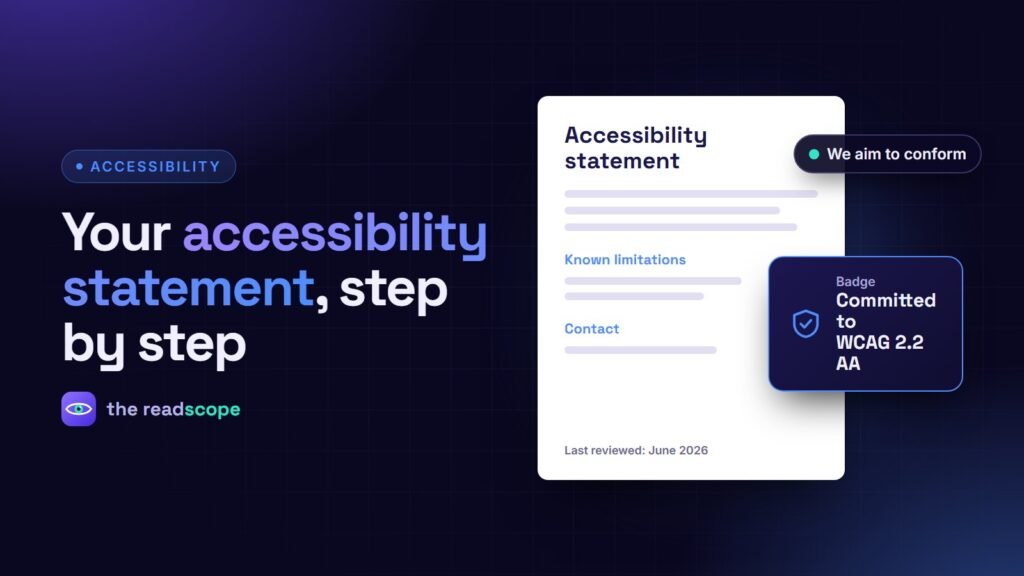
- The standard you aim for. Say “we aim to conform to WCAG 2.2 level AA” (or 2.1 AA). Use “aim to” unless you have a verified conformance claim.
- How you checked. Automated scans, manual keyboard and screen reader testing, or an external audit. Give the date of the last check.
- Known limitations. List parts you know are not yet accessible and, if possible, when you plan to fix them.
- Third-party content. Embedded video, payment pages and tools you do not control.
- Feedback and contact. An email, a form or a phone number, plus how quickly you reply.
- Date. When the statement was last reviewed.
Wording to avoid
- “Our site is fully accessible” or “100% compliant” without an audit behind it.
- Vague promises with no contact route.
- Legal-sounding disclaimers that discourage people from reporting problems.
- Claiming that an overlay widget makes the site compliant. See Accessibility overlays vs real fixes: what actually works.
A short template
Accessibility statement for example.com

We want everyone to be able to use this website. We aim to
conform to WCAG 2.2 level AA.

Last reviewed: 12 June 2026, using automated scans and manual
keyboard checks.

Known limitations
- Some older PDF files are not tagged for screen readers.
- Our embedded video player does not yet offer captions in all languages.

Contact
If you find a barrier, email access@example.com. We reply within
five working days.
Publish it on WordPress
You can write the page by hand, or generate it. AccessIQ includes a statement generator that fills in your organization name, the date of your last scan and your top violations, shows a live preview and publishes (or updates) a WordPress page in one click. The wording says you aim to conform; it does not certify conformance. Two shortcodes help: [accessiq_statement] prints the statement anywhere and [accessiq_statement link="1"] prints only a link, so you can place it in the footer. A badge shortcode reads “Committed to WCAG 2.2 AA” by default.
Keep it alive
A statement is a record, not a trophy. Re-scan after big releases, update the known-issues list, and change the date. If you are covered by rules such as the European Accessibility Act, see European Accessibility Act: what WordPress site owners need to know. This is general information, not legal advice.
Frequently asked questions
Is an accessibility statement required by law?
In some places and sectors, yes, especially for public bodies and under rules such as the European Accessibility Act for covered services. Requirements vary, so check local guidance.
Where should I link the statement?
Put a link in the footer of every page and mention it in your accessibility or contact pages.
Should I say my site is fully compliant?
Only if you have verified it through a proper audit. Most sites have gaps, and a claim that is later disproved can hurt trust. Saying you aim to conform and listing known issues is more credible.
How often should I update it?
After meaningful changes and at least once a year. Include the date of the last review.