WCAG 2.2 checklist for WordPress sites
A plain-language WCAG 2.2 checklist for WordPress: the new success criteria, how to test each one, and which ones a scanner can and cannot catch.
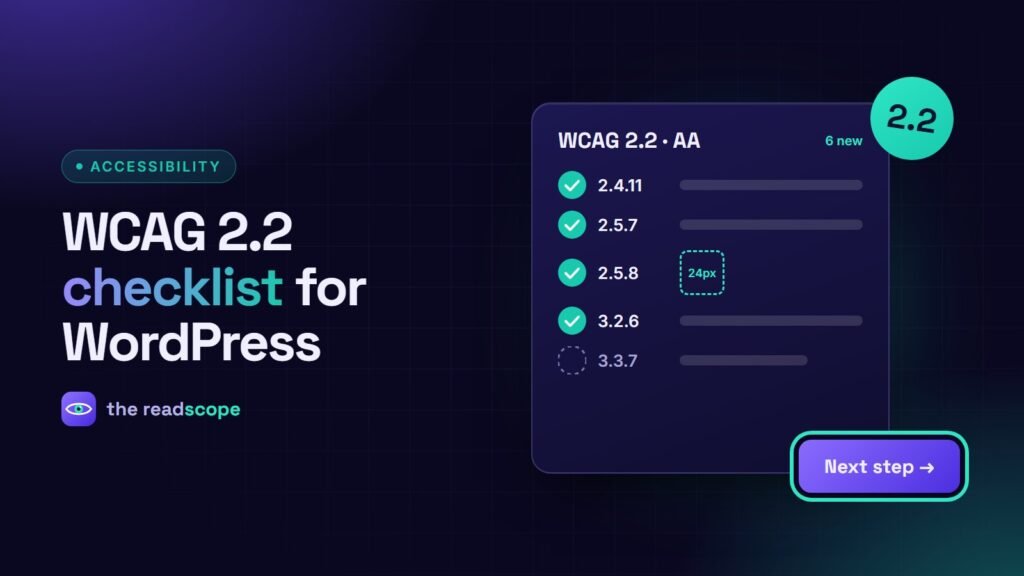
WCAG 2.2 became a W3C Recommendation in October 2023. It keeps every success criterion from 2.1 (except 4.1.1 Parsing, which was retired) and adds nine new ones. Six of them are at level A or AA, which is where most legal and procurement requirements land. This checklist shows what each one means on a WordPress site and how to test it in a few minutes.
The six new criteria at a glance
| Criterion | Level | What it asks |
|---|---|---|
| 2.4.11 Focus Not Obscured (Minimum) | AA | The keyboard-focused element is not completely hidden by other content. |
| 2.5.7 Dragging Movements | AA | Anything that needs dragging also works with a single pointer action. |
| 2.5.8 Target Size (Minimum) | AA | Clickable targets are at least 24 by 24 CSS pixels, or have enough spacing. |
| 3.2.6 Consistent Help | A | Help links (contact, chat) appear in the same place on every page. |
| 3.3.7 Redundant Entry | A | Do not make people retype information they already gave in the same process. |
| 3.3.8 Accessible Authentication (Minimum) | AA | Logging in does not depend on solving a cognitive test, such as remembering a password with no paste or password-manager support. |
How to check each one on WordPress
Focus not obscured
Press Tab through a long page. Sticky headers, cookie banners and chat bubbles are the usual culprits: the focused link scrolls underneath them. Fix it with scroll-padding-top equal to your header height, and make sure banners can be dismissed with the keyboard.
Dragging movements
Look for sliders, sortable lists, map controls and image comparison widgets. If the only way to use them is to drag, add buttons or an input. Native range inputs already satisfy this.
Target size
Check icon-only buttons, close buttons on popups, pagination links and footer links. A 16 pixel icon needs padding so the clickable area reaches 24 pixels. Inline links in a sentence are exempt.
Consistent help
If you show a contact link or chat widget, keep it in the same spot in the header or footer across templates. On WordPress this means placing it in the theme header or footer, not inside individual pages.
Redundant entry
Multi-step forms and checkout flows should prefill or reuse earlier answers, for example “billing same as shipping”. WooCommerce does this by default; custom forms often do not.
Accessible authentication
Do not block pasting into password fields, allow password managers, and offer an alternative to image-based puzzles. Review your CAPTCHA and login plugins.
What an automated scan can and cannot do
Scanners are good at structural problems: missing alt text, empty links and buttons, skipped heading levels, missing form labels, missing page language and low contrast. They cannot judge whether alt text is meaningful, whether focus order makes sense, or whether a drag interaction has an alternative. Treat a score as a guide, not a certificate.
AccessIQ runs these automated checks on any page of your own site and keeps the results in your WordPress database. It includes checks for focus obscured, dragging and target size, and lets you pick the WCAG version and level to scan against.
A 15-minute routine
- Run an automated scan on your home page, a post, and your most important form.
- Tab through the same pages without a mouse. Can you see where focus is at all times?
- Zoom to 200% and check nothing is cut off.
- Check that every icon button has an accessible name.
- Fix the highest-impact issues first, then re-scan and compare the score.
This article is general information, not legal advice. See also: European Accessibility Act: what WordPress site owners need to know.
Frequently asked questions
Is WCAG 2.2 a replacement for WCAG 2.1?
It builds on 2.1. Content that meets 2.2 also meets 2.1, apart from the removed Parsing criterion (4.1.1), so aiming for 2.2 AA is a safe target.
What is the minimum touch target size in WCAG 2.2?
Criterion 2.5.8 asks for targets of at least 24 by 24 CSS pixels, unless there is enough spacing or another exception applies.
Can a plugin make my WordPress site WCAG 2.2 compliant?
No single plugin can. Automated tools find a subset of issues such as missing alt text and contrast. Keyboard, screen reader and content checks still need a person.