Skip links and landmarks: the 15-minute navigation fix for WordPress themes
Two small additions, a skip link and proper landmarks, save keyboard and screen reader users hundreds of key presses. Here is how to add and test them.
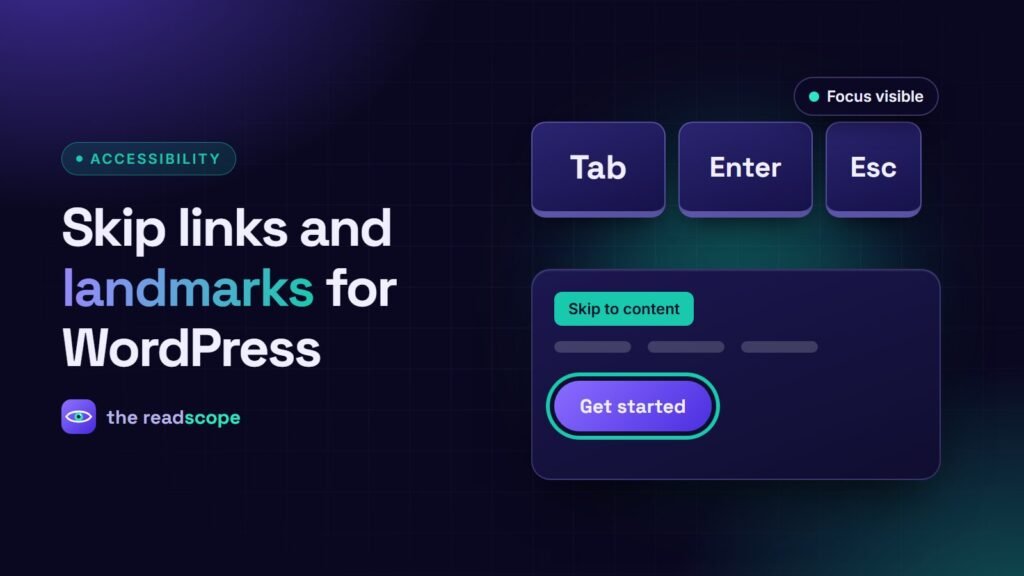
Imagine tabbing through twenty menu links on every single page before you reach the content. That is the daily reality for many keyboard and switch users on sites without a skip link. Fixing it takes about fifteen minutes, and it covers WCAG 2.4.1 (Bypass Blocks).
Step 1: add a skip link
Put this as the first element inside <body>, in your theme’s header.php:
<a class="skip-link" href="#main">Skip to content</a>Then give the main content area the matching ID and make it focusable for older browsers:
<main id="main" tabindex="-1"> ... </main>Hide the link visually until it is focused. Do not use display:none, because that removes it from the keyboard order.
.skip-link { position: absolute; left: 12px; top: -100px; z-index: 1000;
  padding: 10px 16px; background: #fff; color: #000; border-radius: 8px; }
.skip-link:focus { top: 12px; }
Step 2: use landmarks
Landmarks are named regions that screen readers list, so users can jump straight to them. HTML5 elements create them for free:
- header for the site banner (when it is not inside an article or section)
- nav for navigation blocks
- main for the primary content, once per page
- aside for related content such as a sidebar
- footer for the site footer
- search or a form with a label for the search box
If a page has more than one nav, give each an aria-label, for example aria-label="Primary" and aria-label="Footer", so they can be told apart.
Step 3: test it in two minutes
- Load any page and press Tab once. The skip link should appear and be clearly visible.
- Press Enter. Focus should move to the main content, and the next Tab should land on the first link or field inside it.
- Turn on a screen reader (NVDA on Windows, VoiceOver on Mac) and open its landmarks list. You should see one main and clearly named navigation regions.
Common mistakes
- The skip link exists but is hidden with
display:noneorvisibility:hidden, so it never receives focus. - The target ID is missing, so the link does nothing.
- A sticky header covers the focused element after the jump. Add
scroll-margin-topto the target. - Everything is a
div, so there are no landmarks at all.
For a wider keyboard check, follow our The 10-minute keyboard test every WordPress site should pass. A scanner such as AccessIQ can flag missing landmarks and low-contrast focus styles, but the keyboard test above only needs your own hands.
Frequently asked questions
What is a skip link?
A link at the very top of the page, usually hidden until it receives keyboard focus, that moves focus to the main content.
Does WordPress add a skip link automatically?
Not always. Many themes include one, but you should check by pressing Tab right after the page loads.
How many main landmarks should a page have?
One. Use several nav landmarks only if each has a different label, such as Primary and Footer.