How to block Google Analytics and Meta Pixel until visitors consent
A banner is not enough if trackers fire before the click. How to hold analytics and ad pixels until consent, including scripts pasted into your theme.
Many sites show a cookie banner and still send visitor data to analytics and ad networks the moment the page loads. The banner is cosmetic if the tags do not wait for the choice. Here is how to make the choice real.
Step 1: List what is on your site
Open the page in a private window, open the Network tab, and reload without clicking anything. Note requests to domains such as analytics, tag management and ad pixels. Then review where each one comes from:
- A plugin that adds a tracking ID
- A snippet pasted into the theme’s header or footer
- A container loaded through Tag Manager
- A page builder widget (maps, videos, social feeds)
Step 2: Map each tag to a category
| Category | Typical examples |
|---|---|
| Necessary | Login, cart, security, remembering the consent choice |
| Analytics | Google Analytics, heatmap and session tools |
| Marketing | Meta Pixel, TikTok Pixel, LinkedIn Insight, retargeting tags |
Step 3: Hold the non-essential ones
There are two common techniques. The first is to change the script’s type so the browser does not run it, then release it after consent. The second is to load it only from a Tag Manager container that itself waits for consent. Either way, remember inline snippets: a tracking code pasted into your theme is a script too.
Step 4: Let a tool do the repetitive part
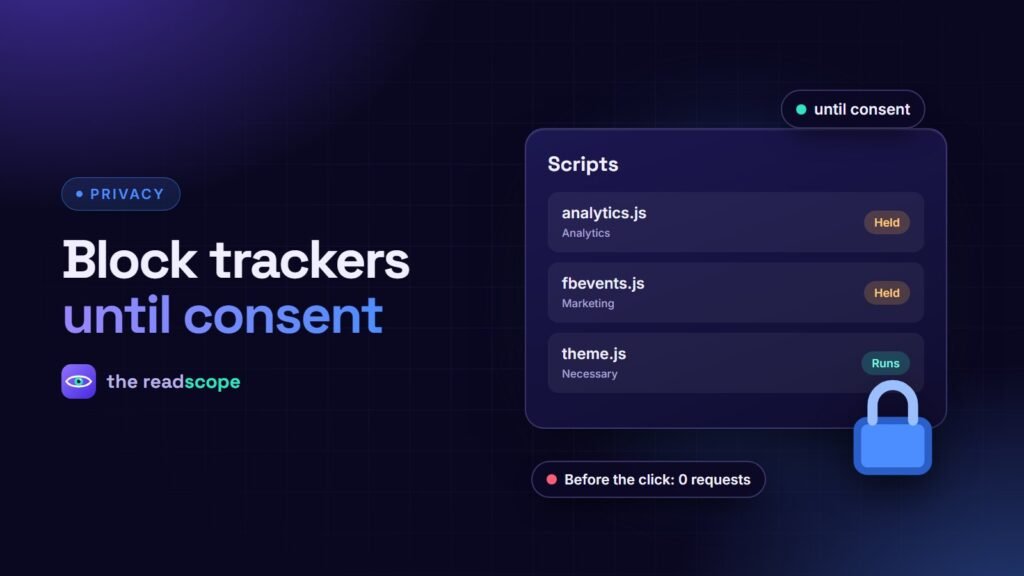
Consentaro automatically holds recognised third-party trackers (such as Analytics, Meta Pixel, TikTok Pixel, LinkedIn Insight and Hotjar) inert until the matching consent category is granted. It covers tags loaded from an external file and inline snippets pasted into the theme. A Scripts screen lists everything it detected with its assigned category, and you can override any script’s category by hand. It is deliberately conservative: anything it does not recognise, including theme, page builder, payment and WooCommerce scripts, is left alone. Developers can extend detection with the consentaro_tracker_signatures filter.
Step 5: Verify like a sceptic
- Private window, empty cache, Network tab open, filter by the tracker domains.
- Load the page. Nothing from those domains should appear.
- Click Deny. Browse and add something to the cart. Still nothing.
- Clear site data, click Accept, and confirm the requests now appear.
- Test checkout and forms to make sure nothing necessary was blocked.
Common gaps
- A second analytics tag added by a different plugin
- Embedded videos and maps that set their own cookies
- A cached page that serves the “already consented” state to everyone
Related: Google Consent Mode v2 for WooCommerce, in plain English and Do you need a cookie banner? A plain-English guide. This is general information, not legal advice.
Frequently asked questions
Why do trackers still fire when I have a cookie banner?
Many banners only display a message. The scripts are loaded by your theme, plugins or Tag Manager and must be held back separately.
How can I tell which scripts are trackers?
Check the network tab for requests to analytics and advertising domains, and review the scripts added by your theme, plugins and tag manager.
Will blocking scripts break my site?
Only block known trackers. Leave theme, page builder, payment and shop scripts alone. Test checkout after any change.
Do I need to block Google Analytics too?
In many regions analytics needs consent. Check your local regulator's guidance and your own setup.