Click heatmaps without Hotjar: self-hosted options for WordPress
How click heatmaps work, what they tell you, and how to run one on your own WordPress server without sending visitor data to a third party.
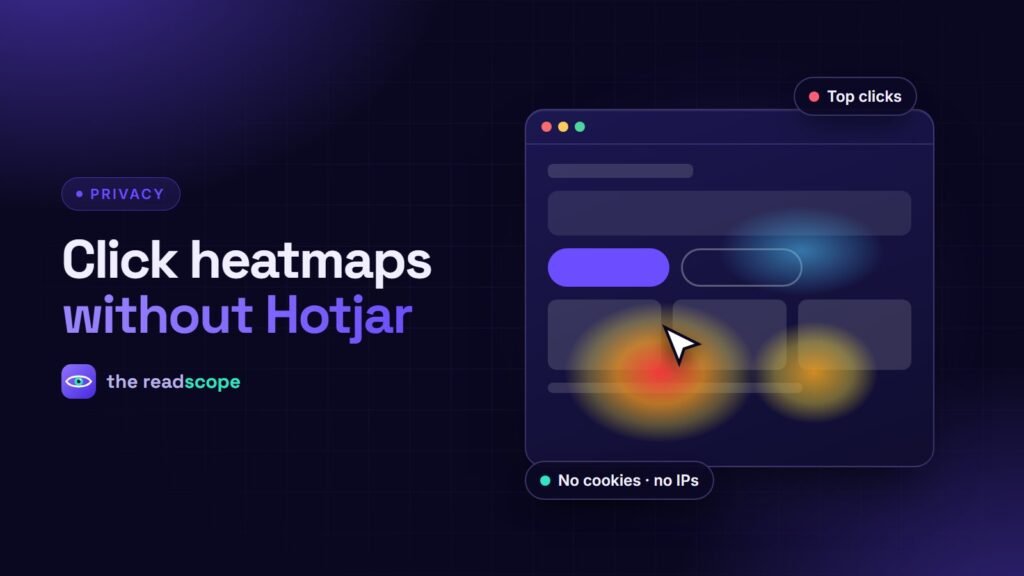
A heatmap answers a question analytics numbers cannot: where on this page do people actually try to click? It is one of the fastest ways to spot a button nobody sees, a heading people mistake for a link, or a layout change that moved attention away from the call to action.
What you can learn from click data
- Ignored calls to action. A primary button with almost no clicks may be too low, too similar to the background, or worded vaguely.
- False affordances. Lots of clicks on something that is not clickable (an image, a heading) signals confusion.
- Navigation habits. See which menu items are used and which are noise.
- Device differences. Mobile and desktop visitors often behave very differently on the same page.
The privacy problem with hosted tools
Most popular heatmap services load a third-party script, set cookies and send visitor behavior to their servers. That usually means consent banners, vendor assessments and a longer privacy policy. A self-hosted approach avoids most of that, because the data never leaves your database.
What a privacy-friendly tracker stores
- The page URL
- Click position (X and Y) and the CSS selector of the clicked element
- Device type and a timestamp
- A random per-tab session identifier kept in sessionStorage, discarded when the tab closes
It does not need cookies, IP addresses, names or emails. AccessIQ works this way: heatmaps and behavior analytics are stored in your own WordPress database, with a date-range filter, a device filter and a ranked list of the most-clicked elements. Retention can be limited so old data is deleted automatically.
How to run a useful heatmap review
- Pick one page with a clear goal, such as your pricing or contact page.
- Collect enough clicks to see a pattern, and compare mobile and desktop separately.
- Write down one change you will make based on what you see.
- Ship it, collect again for the same period, and compare.
Be honest about the limits
Click maps show where people click, not why. Pair them with a quick user test or a short survey before making big design decisions. And whatever tool you use, mention it in your privacy policy.
Frequently asked questions
What does a click heatmap show?
It shows where visitors click or tap on a page, usually as a color overlay. Hot spots are heavily clicked areas; cold areas are ignored.
Do heatmaps need cookies?
Not necessarily. A self-hosted tracker can use a random per-tab session identifier and store only coordinates and element selectors.
Do heatmaps slow down a site?
A small asynchronous script has little impact. Check the script size and that requests are throttled.
Do I need to mention heatmaps in my privacy policy?
It is good practice to disclose any analytics or behavior collection, even anonymous. Check the rules in the regions you serve.