A mosque website checklist: 12 things every masjid site needs
From accurate prayer times to donation details and Ramadan timetables: the essential pages and features for a useful, trustworthy mosque website.
A mosque website is a public noticeboard, a map and a front door. Visitors arrive with the same handful of questions, often from a phone and in a hurry. If your site answers those quickly, it is doing its job.
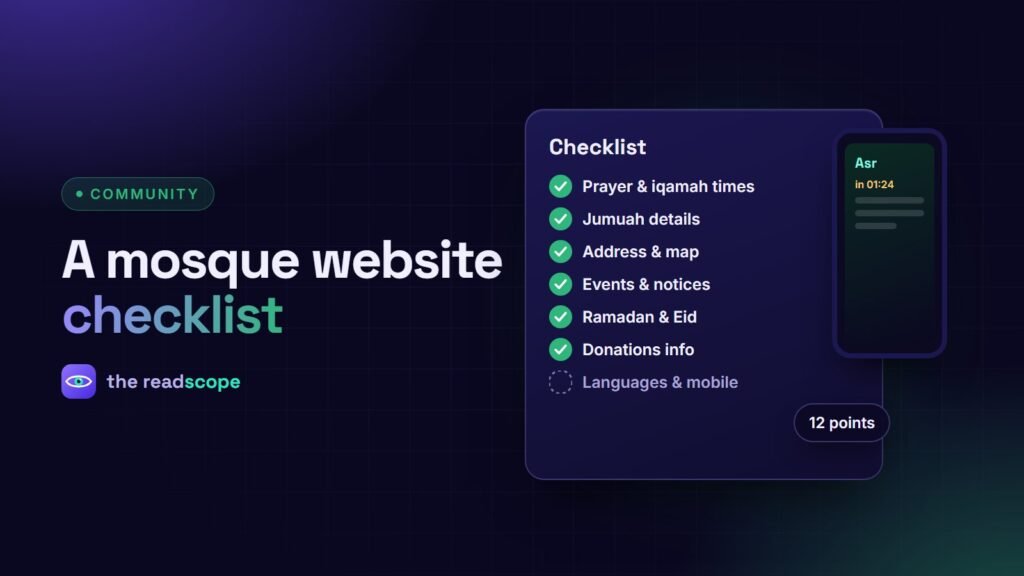
The 12-point checklist
- Prayer times on the homepage. Today’s five times, with iqamah, visible without scrolling. See How to publish accurate prayer times on a mosque website.
- Next prayer and countdown. Useful for people checking on the go.
- Jumuah details. Times, khatib, topic and language. See How to publish the Jumuah khatib schedule on your mosque website.
- Address, map and parking. Include entrances, women’s and wheelchair access.
- Contact details. Phone, email and a simple form, with who answers and when.
- Events and programs. Classes, halaqas, youth and sisters’ programs, with dates and a calendar download.
- Notices. Short, dated announcements that expire automatically.
- Ramadan and Eid pages. Taraweeh and iftar times, Eid prayer times and arrangements, published early.
- Donations and support. What funds are for, how to give, and transparent reporting where possible.
- About and governance. Who runs the mosque, how decisions are made, how to volunteer.
- Language and mobile. Readable on a phone, in the languages your community uses.
- Privacy. If you collect names, phone numbers or member details, say how they are used and keep them safe.
Nice to have
- A lobby TV display that mirrors the website: How to set up a prayer times TV display for your mosque lobby
- Duas, a verse and a hadith of the day
- An Islamic calendar with Hijri dates and highlighted occasions
- An archive of khutbahs and lectures
Keep it from going stale
The fastest way to lose trust is a page that shows last year’s times. Automate what can be automated, such as daily prayer times and the Hijri date, and assign a named person to the rest. Schedule notices with an end date so they disappear on their own.
Where a plugin saves time
MasjidOS covers most of this list in one plugin: locally calculated prayer times with iqamah and a monthly timetable, Jumuah and Minbar tools, a TV display, scheduled notices, community events with calendar downloads, an Islamic calendar, duas, articles, and an interface in English, Bangla and Arabic. It runs on your own WordPress site, with no outside prayer-time service needed by default.
Always confirm prayer times and religious content with your local authority before publishing.
Frequently asked questions
What is the most important thing on a mosque website?
Correct, easy-to-find prayer and iqamah times, ideally visible on the homepage without scrolling.
Should a mosque website be multilingual?
If your community speaks several languages, yes. Offer the main pages and notices in those languages and keep the layout right-to-left for Arabic.
How often should it be updated?
Daily times should update themselves. Notices and events weekly, and a full review before Ramadan.
How do we collect donations safely?
Use a recognised payment provider, say clearly what donations are for, and never ask visitors to send card details by email or message.