How to publish the Jumuah khatib schedule on your mosque website
Show this week's khatib, the topic and sermon language, plus an archive of past khutbahs, with a workflow volunteers can run in two minutes.
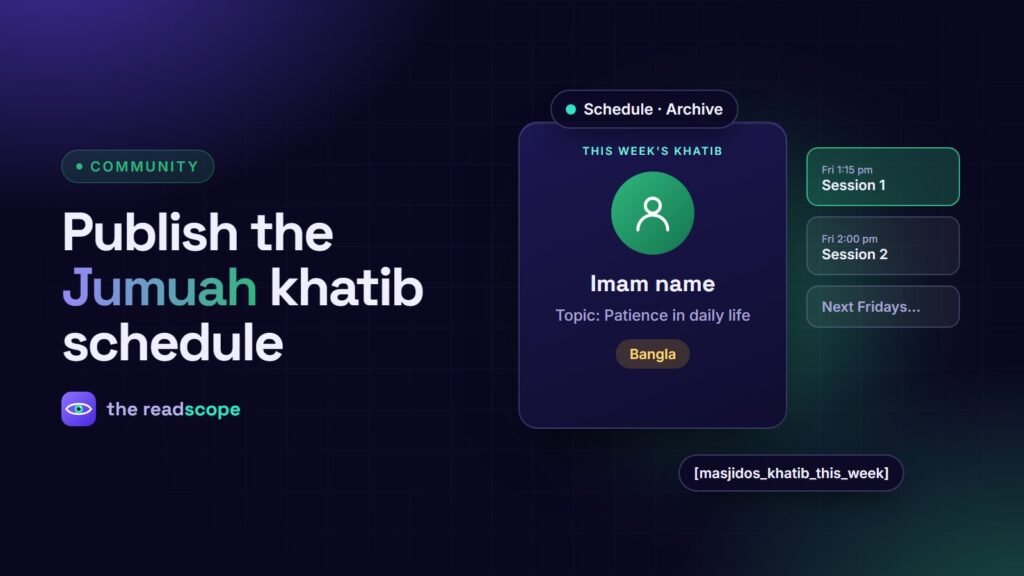
For many mosques, Friday is the busiest day for the website. Worshippers want to know the time, who is speaking and sometimes the topic or language. A tidy Jumuah section answers all three and takes minutes a week to keep current.
What to show
- Session times for the first and, if you have one, second Jumuah
- Khatib: name, photo and a short bio
- Topic of the khutbah
- Language (for example Bangla, Arabic or English)
- A notice line for last-minute changes, such as overflow rooms
A weekly workflow that works
- Plan the next four to eight Fridays at the start of the month in one sitting.
- Confirm each khatib and topic by the Wednesday before.
- Update any change on Thursday evening and check the homepage widget.
- After Friday, add the recording or notes to the archive.
Give this task to one or two named volunteers, so it does not depend on whoever has the password.
Make it easy for volunteers
Avoid page builders for a weekly update. A fixed schedule form, where you pick a date, a khatib, a topic and a language, is faster and cannot break the layout.
How it looks in MasjidOS
MasjidOS has a Minbar area with Overview, Schedule, Planner, Archive, Sermon Builder and References screens, and Jumuah sessions with a khatib profile (name, photo, bio), topic, language tag and notice pill. Four public widgets cover the usual needs:
[masjidos_khatib_this_week]for the homepage[masjidos_upcoming_khutbah]for the next few Fridays[masjidos_khutbah_archive]for past sermons, with audio or PDF links when you add them[masjidos_khutbah_search]for a compact search box
The plugin adds Imam and Muazzin roles, so committee members can manage what they need without full administrator rights.
Small details that matter
- Use the same time format as your printed notice.
- Say the language plainly; it is a public label, not a site setting.
- Do not publish a photo or personal details without the khatib’s agreement.
Pair this with a lobby display, covered in How to set up a prayer times TV display for your mosque lobby, and make sure daily times are correct first: How to publish accurate prayer times on a mosque website.
Frequently asked questions
What should a Jumuah section show?
The khutbah and prayer times, the khatib's name, the topic, the language and any special notice, such as a parking or overflow arrangement.
How can volunteers update it without breaking the site?
Use a simple schedule screen with fixed fields and a limited user role, instead of letting them edit page layouts.
Should I publish past khutbahs?
It is helpful for the community. Add audio or a written summary when the khatib agrees, and make the archive searchable.
How do I handle two Jumuah sessions?
Show both with their own time, khatib and language, so people can choose the one that suits them.