Multi-step lead forms in WordPress: how to build one that people finish
Practical rules for multi-step lead forms: how many steps, which questions to ask first, how to handle spam, and where to send the data.
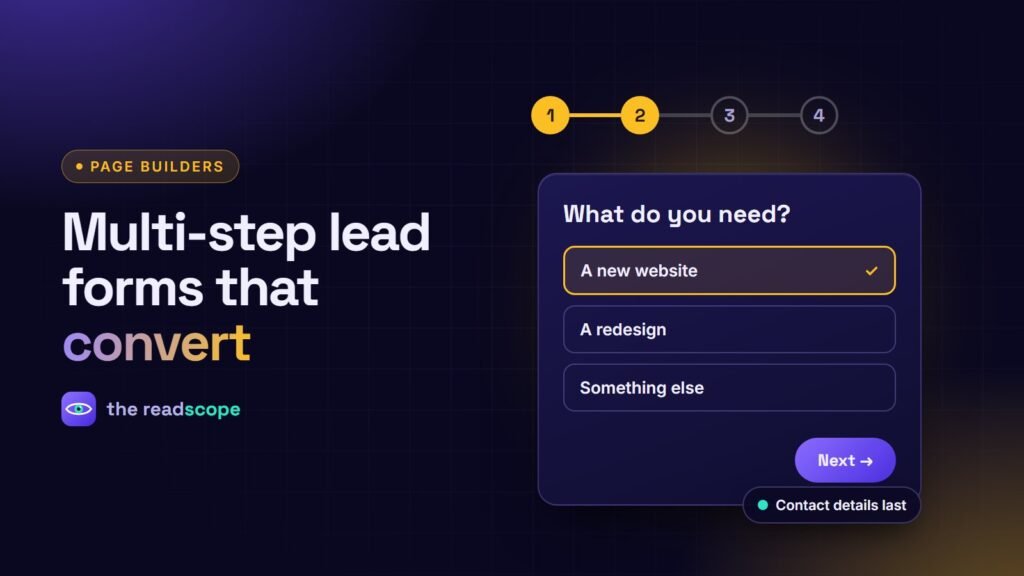
A long form feels like work. Splitting it into short steps makes each screen look small, lets you ask follow-up questions that depend on earlier answers, and gives people a sense of progress. Here is how to design one on WordPress that people actually finish.
Design rules that matter
- Start with the easy, relevant question. “What do you need help with?” as a set of buttons beats asking for a phone number first.
- One idea per step. Group related fields; do not mix project details with contact details.
- Collect contact details last. By then the visitor has invested effort.
- Show progress. A step counter or bar reduces drop-off anxiety.
- Allow going back without losing answers.
- Explain why you ask for anything sensitive, in a short line under the field.
Useful field types
- Choice buttons for quick segmentation
- A live price estimate for quote forms, updating as options change
- File upload for briefs and photos
- A signature field for simple agreements
- A WhatsApp hand-off for audiences who prefer chat
Protect the form from spam
- A hidden honeypot field that humans never fill
- A signed, time-limited token so bots cannot replay old requests
- Rate limiting by a hashed visitor key, never the raw IP
- Optional Google reCAPTCHA v3 for score-based checks
Where should the data go?
Pick delivery based on your workflow: an email to your team, a WhatsApp chat, a webhook to Slack or a CRM, or a mailing-list service. Only configure endpoints you control or trust, and list each service in your privacy policy.
Rawnaq includes a Smart Form module for this: multi-step forms with file upload, signature, WhatsApp redirect, live price estimation and delivery by email, webhook, Mailchimp or HubSpot. Submissions can be logged privately in your WordPress database and are covered by WordPress’ personal data export and erase tools.
Measure, then simplify
Track how many people start versus finish each step. Remove or reorder the step where most people drop. Small changes, such as a clearer button label or one fewer field, often matter more than a redesign.
Related: Elementor, Gutenberg or Divi: building interactive sections that work in all three.
Frequently asked questions
Are multi-step forms better than single-step forms?
Not always. They tend to help when a form needs many fields or has branching questions, because each screen feels small. For short forms, a single step is simpler.
How many steps should a lead form have?
As few as the goal allows. Two to four short steps works for most services; more only if each step is clearly necessary.
How do I stop spam on a WordPress form?
Combine a hidden honeypot field, a signed timestamp token, rate limiting and, if needed, a score-based service like reCAPTCHA v3.
Is it safe to store form submissions in WordPress?
Yes if they are private, access-controlled and deletable on request. Use WordPress personal data export and erase tools and tell visitors what you collect.