Tagged PDFs: how to make documents accessible on your WordPress site
What a tagged PDF is, why screen readers need it, how to create and check one, and how a PDF viewer can flag untagged files.
Many organizations publish annual reports, price lists and forms as PDFs and assume they are as accessible as the web page that links to them. They often are not. The difference is tagging.
What “tagged” means
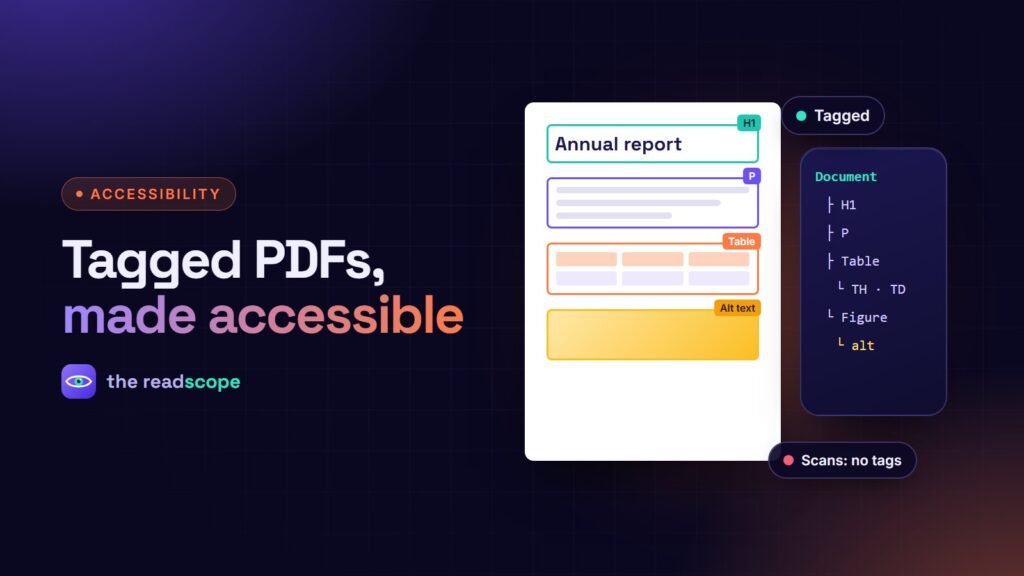
A tagged PDF carries a hidden structure, like HTML does: this is a level 1 heading, this is a list item, this table has header cells, this image has a description. A screen reader uses that structure to read in the right order and let people jump by heading. Without it, text can be read out of order, tables turn into streams of words, and images are skipped.
Create accessible PDFs at the source
- Use real styles in Word, Pages or InDesign: Heading 1, Heading 2, lists, table headers.
- Add alt text to meaningful images, and mark decorative ones as decorative.
- Set the document language and a clear title.
- Check contrast of text against background.
- Export as tagged PDF (look for options like “Document structure tags for accessibility”).
- Run an accessibility checker in Acrobat and fix what it reports.
Things that break accessibility
- Scanned pages with no real text layer
- Columns and text boxes that confuse reading order
- Tables made with spaces and tabs
- Forms with unlabelled fields
- Password-protected files that block assistive technology
What your WordPress side should do
- Link to the PDF with descriptive text, and mention the file type and size.
- Offer the same content in HTML when it is important.
- Use a viewer with a keyboard-operable, labelled toolbar and announced page changes.
Foliora checks each PDF in your Media Library for tagging (it looks at the document’s MarkInfo flag) and marks untagged files in its documents list. It does not rewrite your PDFs, because only the source document can produce correct structure, but it tells you which files to re-export. Its viewer has labelled toolbar buttons, visible keyboard focus and screen reader page announcements.
A simple publishing rule
Before a PDF goes live: open it with the keyboard only, run the checker, and listen to the first page with a screen reader. It takes ten minutes and prevents most problems. See also How to embed a PDF in WordPress without a CDN.
Frequently asked questions
What is a tagged PDF?
A PDF that includes a structure tree describing headings, paragraphs, lists, tables and images and their reading order. Assistive technology relies on it.
How do I make a PDF accessible from Word?
Use proper heading styles, add alt text to images, then use Save As PDF with the accessibility or tagged option enabled. Check the result in Acrobat's accessibility checker.
Is a scanned PDF accessible?
Not by default. A scan is just an image of text. It needs OCR and tagging, or better, recreating from the source document.
Can a WordPress plugin fix an untagged PDF?
A viewer cannot safely rewrite a PDF's structure. It can flag untagged files so you know which ones to re-export.